


From contracts to certificates: Add documents to employee profiles in Smartplan
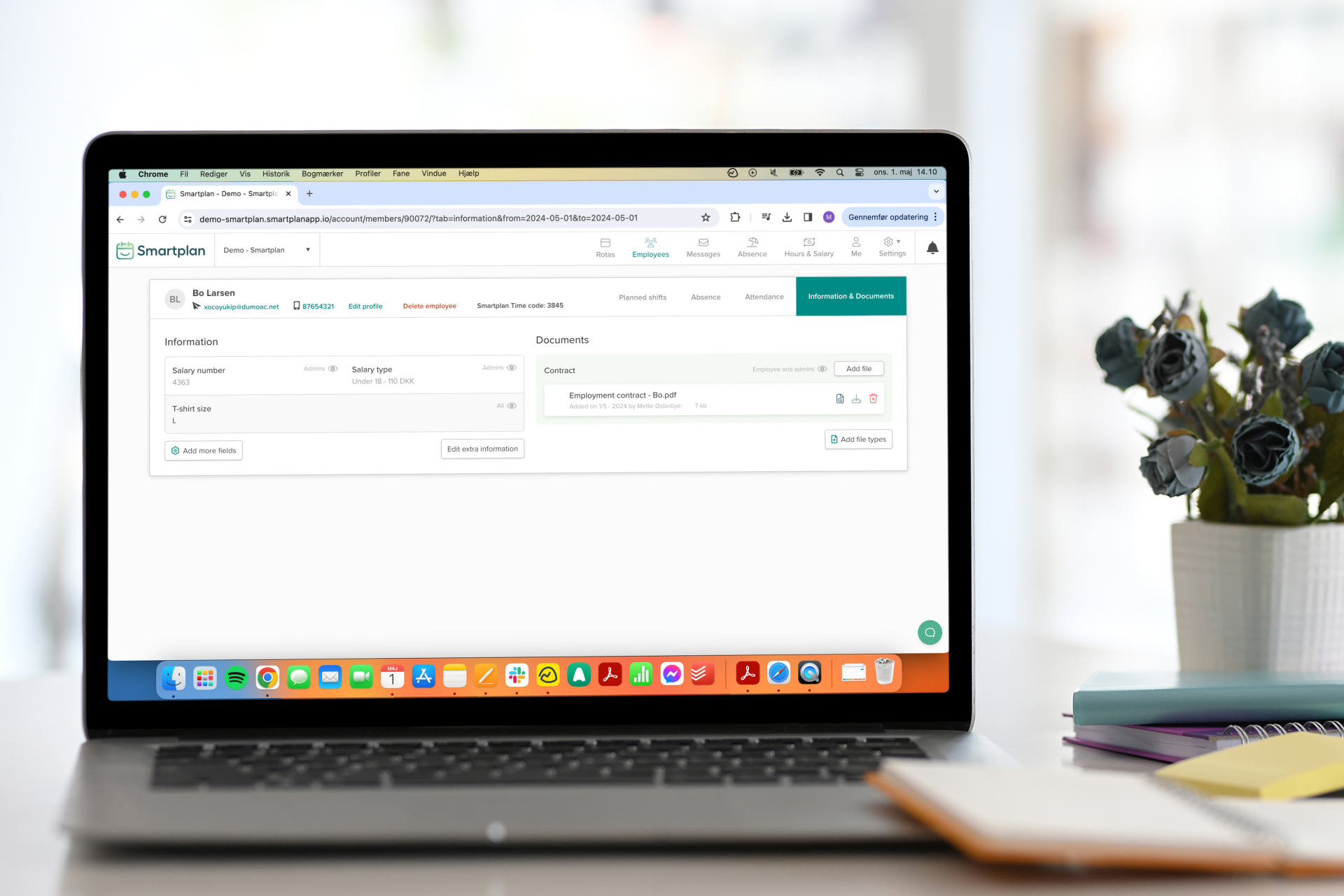
Every time we release a new update for Smartplan, we have a clear purpose: We want to make your work life simpler and more efficient. That’s why we’re also excited to introduce a new feature that many of our customers have requested—the ability to add documents directly to employee profiles!
This means that you can now add and access various types of documents directly on your employees’ profiles in Smartplan. These can range from employment contracts to certificates and diplomas.
Why should I add documents to my employees?
All businesses are different. So naturally, there are also different reasons why you might find this new update beneficial. But let’s take a look at some of the advantages you’ll experience:
- Centralized storage: No more having documents scattered across multiple systems where you have to spend time looking for them. Now, you can store all employee information directly on their profiles in Smartplan, the same place where you also manage their rotas and time tracking.
- Efficient onboarding: Add relevant documents such as handbooks, training materials etc. to new employees’ profiles. This way, they can quickly get an overview of important information, become part of the team, and start taking shifts in your rotas.
What documents can I add?
You decide exactly which documents you want to add to your employees’ profiles. You might want to add:
- Employment contracts: By adding the employees’ contracts to their profiles, both you and the employees can easily refer to the terms of employment. If there are changes to the contract, you can, of course, also add amendments to the employee’s profile.
- Certificates or diplomas: If an employee’s job requires special qualifications or education, it is practical to have these documents directly on the profile.
- Employee handbooks: If you add employee handbooks to the profiles, they will always be able to access these to find out how different situations are handled in your company.
- Work permits: For employees who are not citizens of the country, it’s important to have their work permits available.
- Emergency contacts: In case of an accident at the workplace, you can quickly get in touch with the employee’s contacts. Add a document with contact details to the employee’s profile.
Or perhaps you want to add other documents. In that case, simply add those that are relevant to you, your employees, and your company.
How do I add the documents?
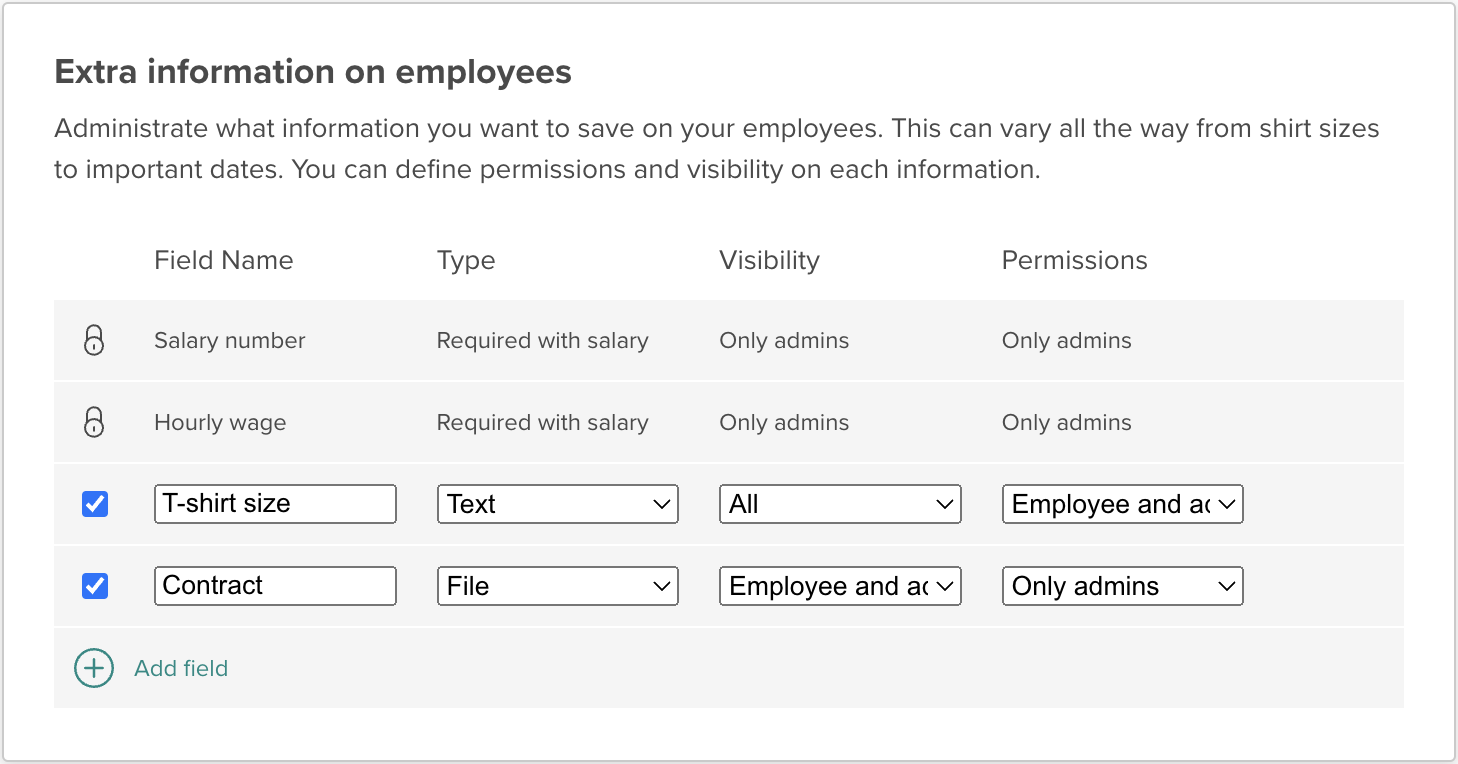
If you go to “Settings” → “Smartplan Settings” → “Employee Info”, you can add fields for the extra information you want to have on the employees. To add a document, simply select “File” as the type:
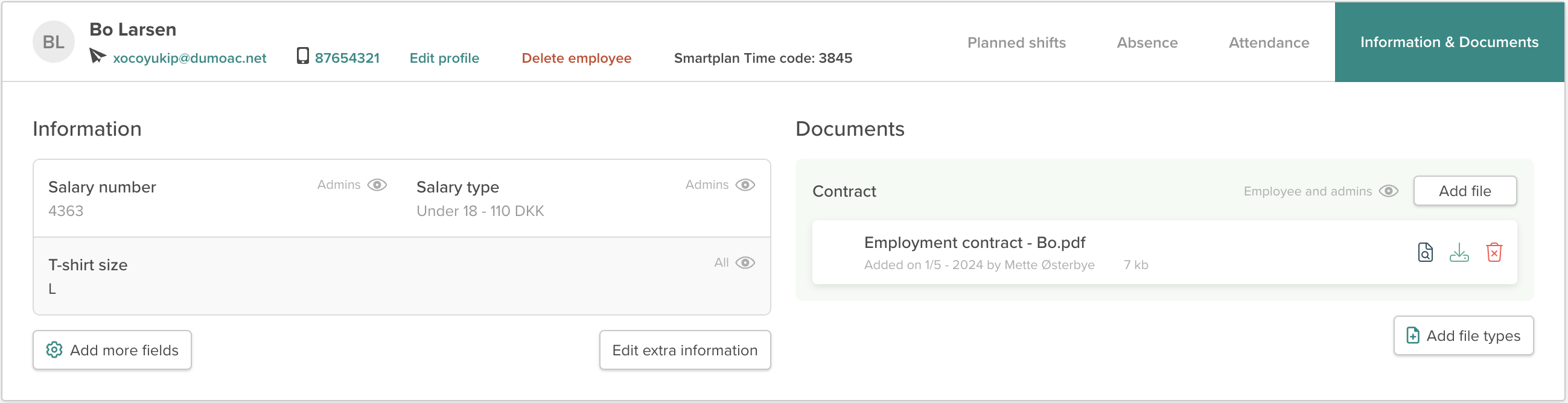
Once you have created the various fields, you go to each employee’s profile to fill in the fields with the correct information. You do this by going to “Employees” → select an employee → “Information & Documents”:
You can also take a look at this article from our manual to learn more: Add extra information to your employees.
And you are of course also always welcome to write to us at support@smartplanapp.com if you have any questions.
Smartplan
Published 1 May 2024
Ready to try Smartplan?
Start your free 30-day trial today. No commitment, no credit card required.
Try Smartplan freeGet to know Smartplan
Everything you need for shift planning, time tracking and employee management — all in one place.