


Easy and user-friendly time recording with Smartplan Punch clock
Avoid using paper and pencil, chaotic time sheets and expensive hardware. You can use the punch clock through a tablet, app or computer. Your time attendance is gathered in one place so that you can easily do your payroll.
Easy configuration and access
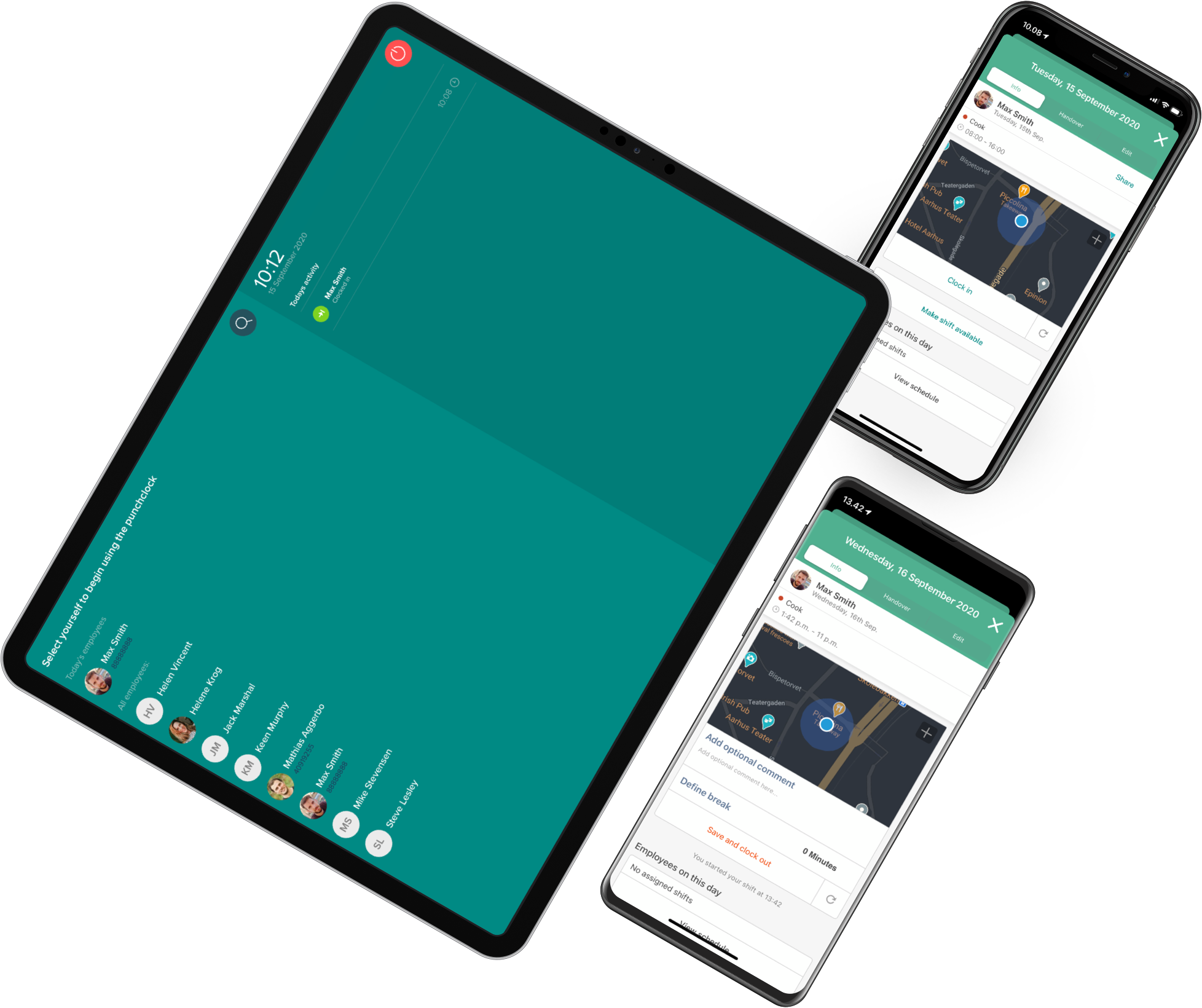
It doesn't require any special equipment or IT skills to get started with Smartplan Punch Clock. The punch clock can be accessed from any device, as long as there is internet access. Use a tablet, computer or our App.
Avoid incorrect registration
Are you also looking at the handwritten time entries from your employees and spending too much time decoding them? Or do you have problems with your employees not registering their hours properly? With Smartplan Punch Clock, it's quick and easy for employees to register when they arrive, leave and take breaks.
Do payroll with a few clicks
The punch clock integrates directly into your Smartplan account. Get an overview of your employees' hours with a few clicks. When you need to run payroll, you can pull a file directly into your payroll system. It saves time and reduces errors.
Simply open the punch clock on a device with internet access. Here it is an iPad:
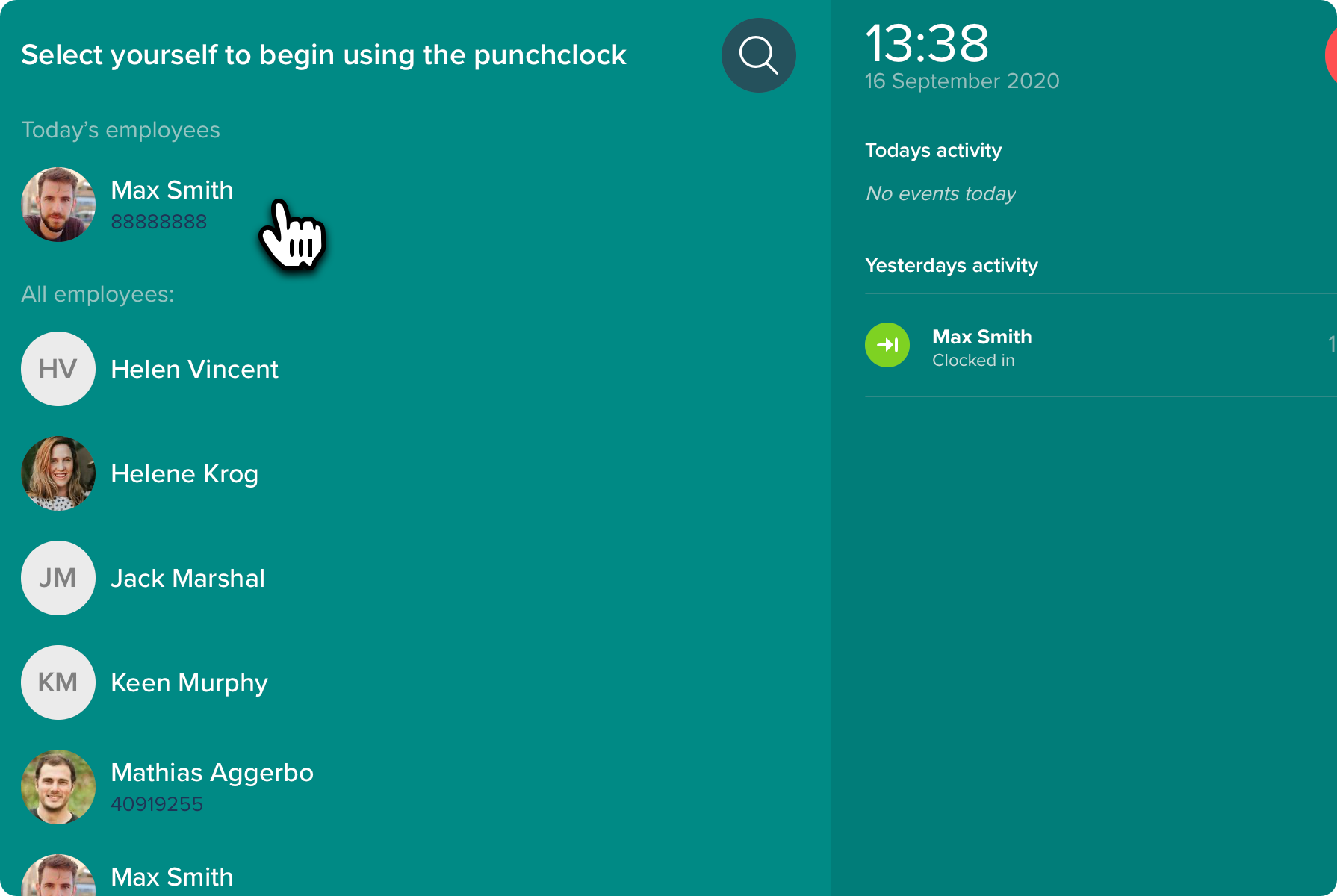
1. The employee chooses their name
When the punch clock is used on a tablet, you can be sure that the employee has arrived at work when clocking in. At the top of the screen, a list of employees who have a shift that day is shown. This makes it easier for the employee to find their name. If the employee doesn't have a shift, they can still clock in. For example, if you don't use a schedule, or if the employee has been called to work without having a shift in the schedule.
2. Fills out their pin code
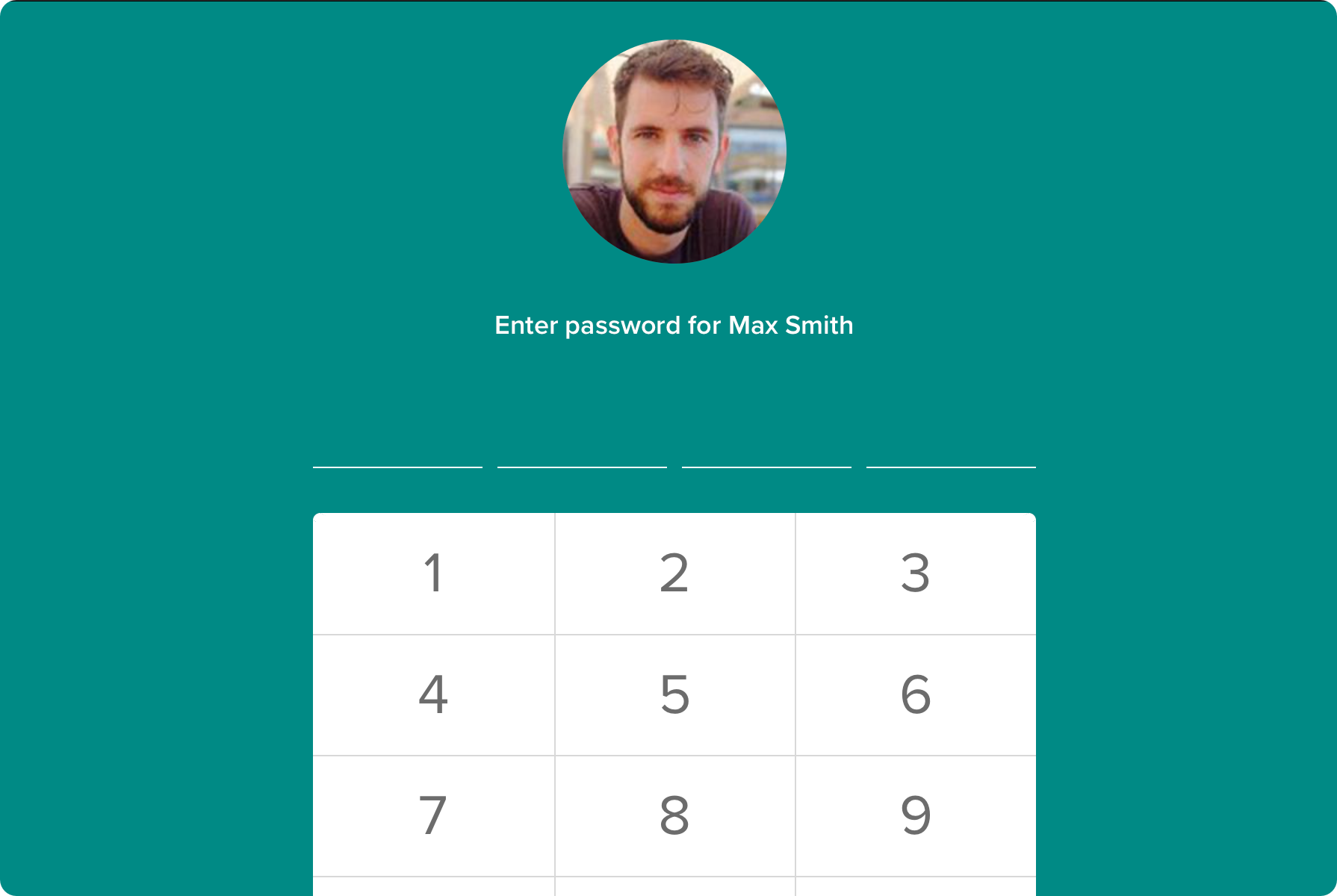
Each employee has their own 4-digit pin code for the punch clock. This ensures that the employee has arrived at work when clocking in. The employee can always have the code sent via SMS or email if they have forgotten it.
3. Chooses which shift to clock in at
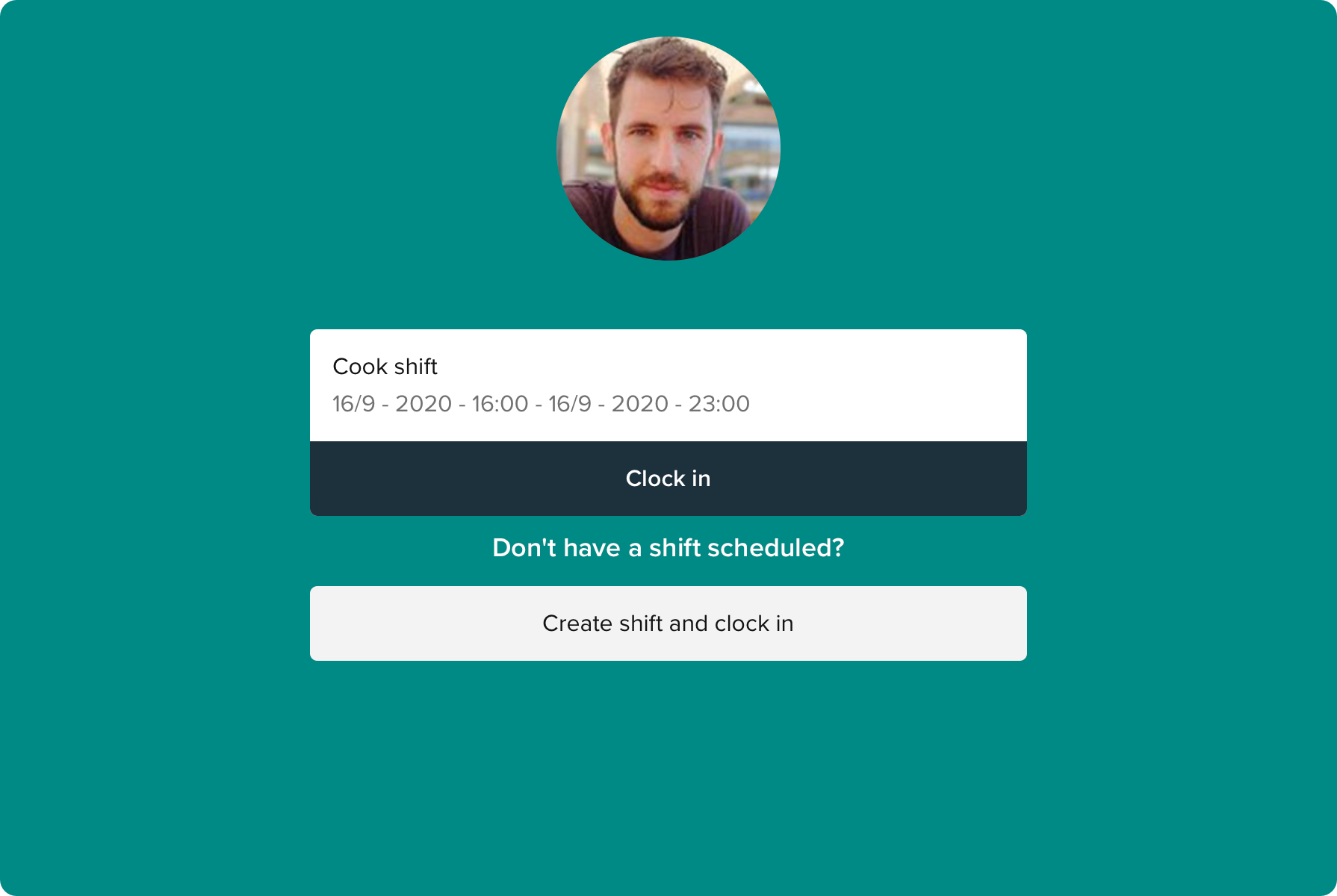
When the employee has filled in their pin code, the planned shifts are shown. With a single tap on the shift, the employee is clocked in and time registration has started. A shift in the schedule is not required to be able to clock in.
The punch clock can also be used directly from the employee's phone through our app:
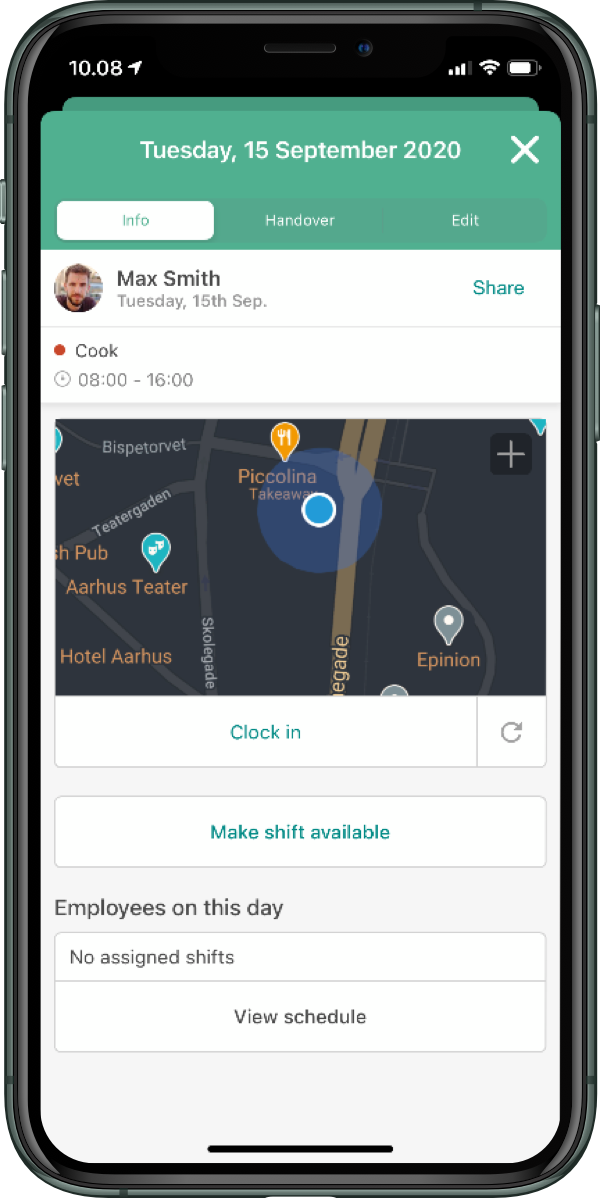
Easy to clock in
When the employee arrives, it's quick and easy to clock in from their profile in the app. When the phone is at the right location, it becomes possible to clock in. If the phone is not near the required location, clocking in is not possible.
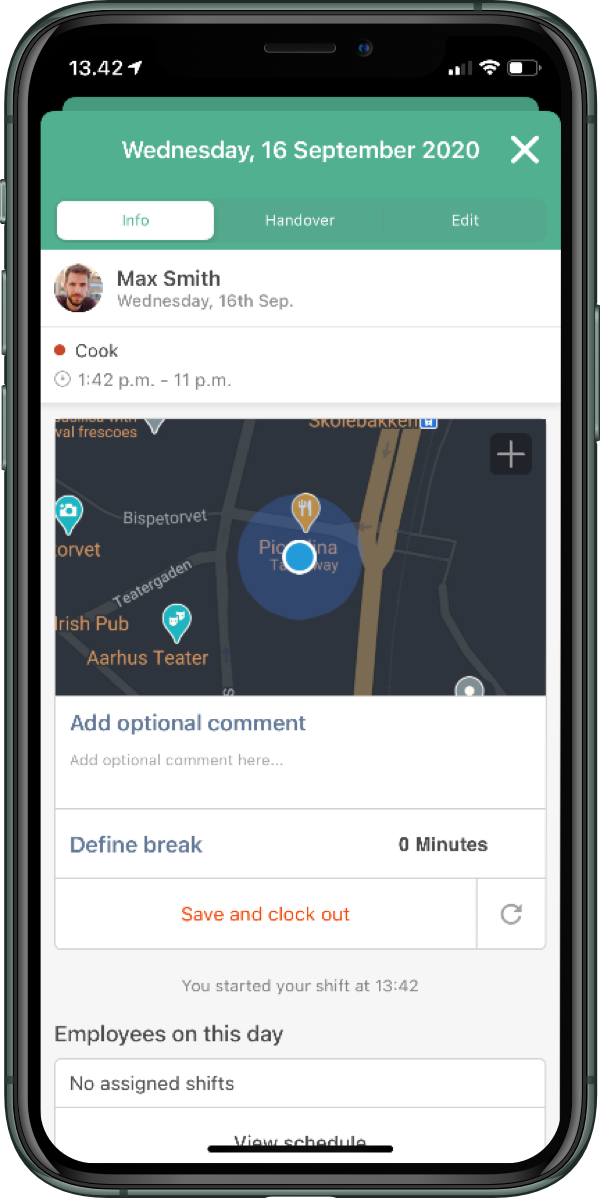
Include everything when clocking out
When clocking out, it's quick and easy to attach a comment to the time registration. This allows the employee to explain why they left early or worked overtime. If you wish, you can ask the employee to state how much break they have taken. You can also set it up so they clock in and out for breaks during the shift.
You decide where your employees need to be to clock in and out
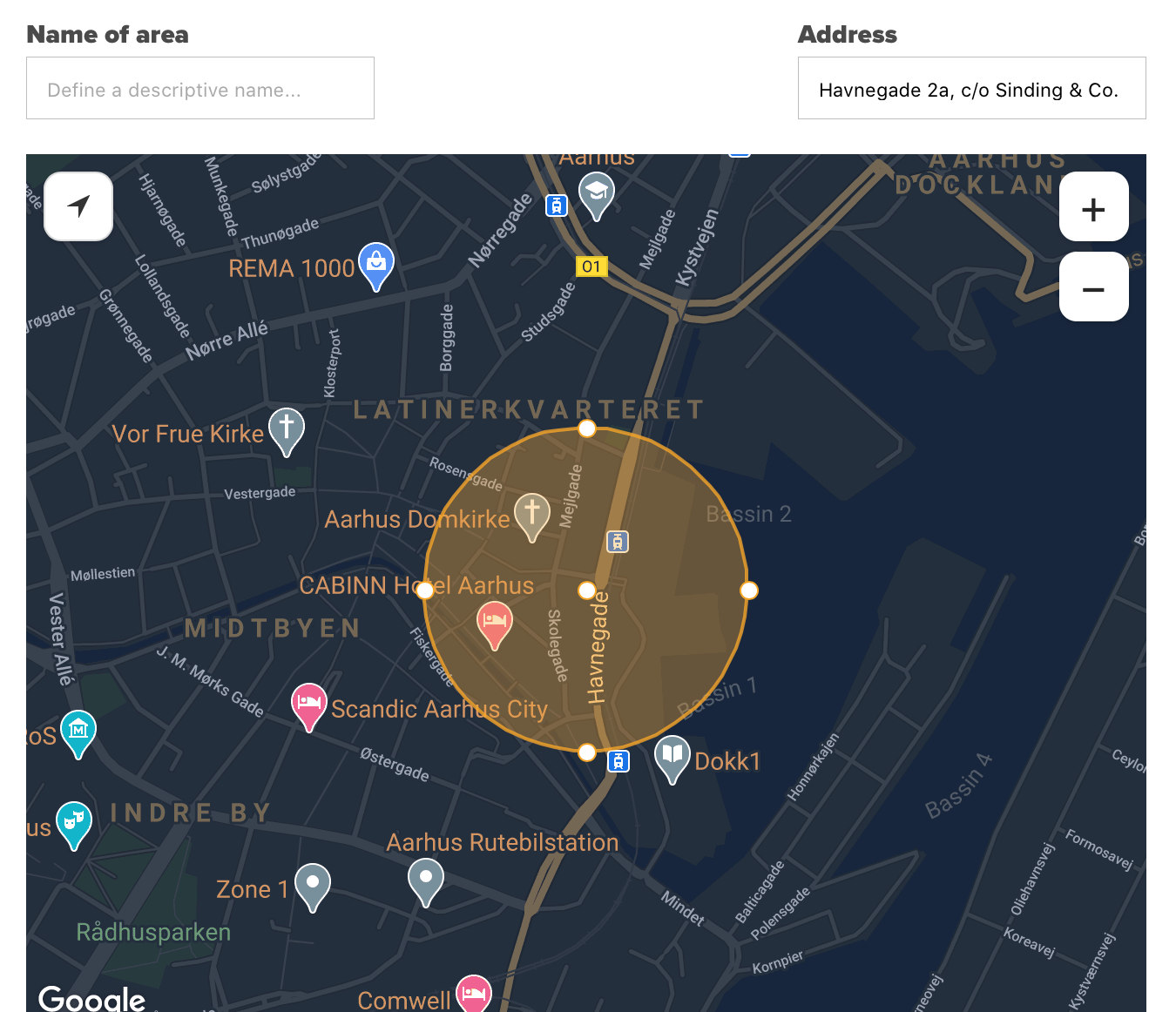
If your employees are to use the punch clock in Smartplan's App, you can set it up so they can only clock in at certain locations.
Adjust the punch clock to the exact needs of your company
Companies are not the same, so your punch clock shouldn't be either. You decide whether employees should clock in and out from breaks or just fill it in when clocking out. What should happen if the employee arrives before scheduled, should they get hours for it or only from when the shift starts? Maybe some times should be approved automatically. With a few clicks, you set up the rules for your punch clock which take effect as soon as you press save.
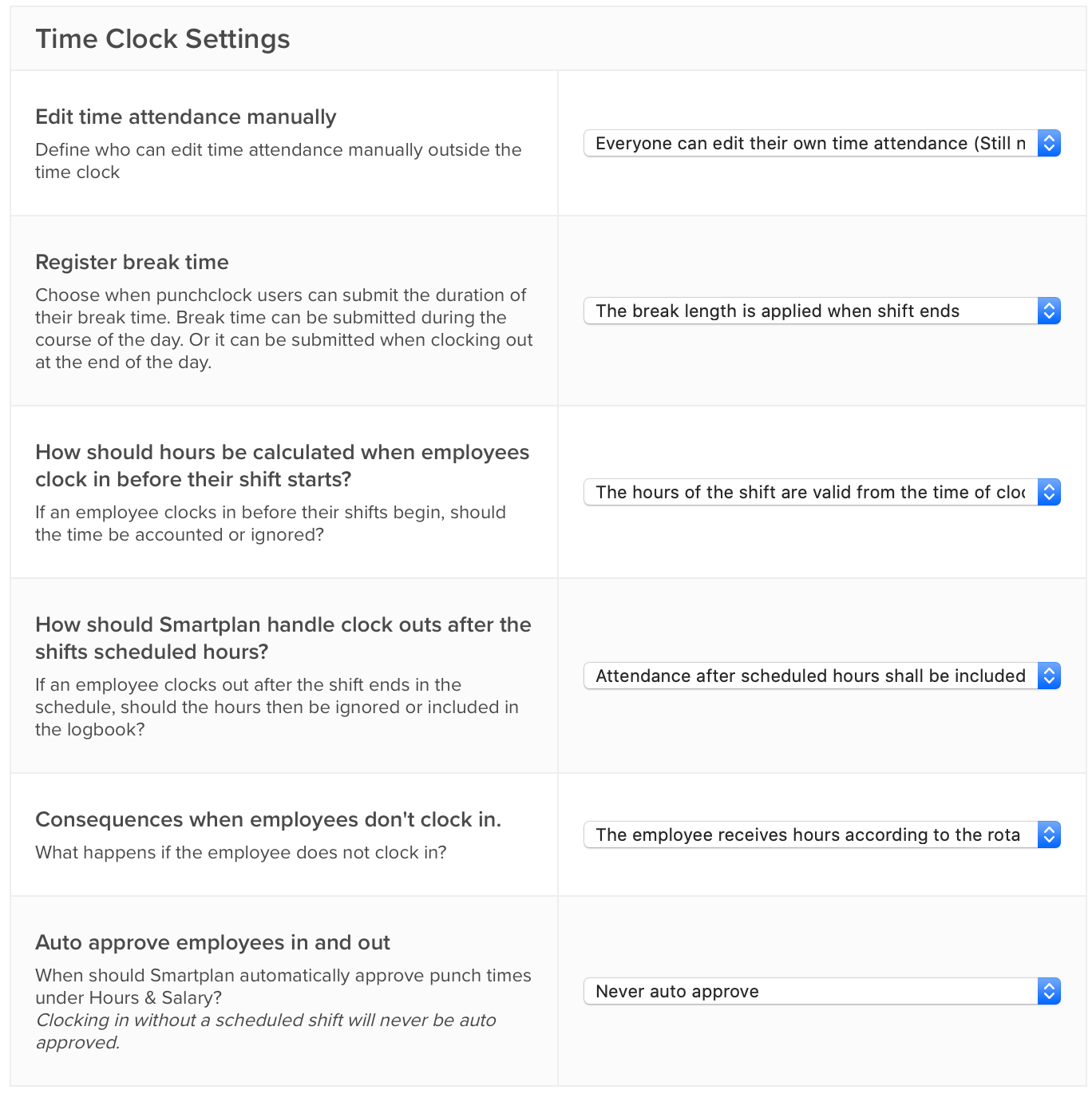
There's also room for breaks
You decide whether the employee should clock in and out for breaks during the shift, or whether the employee simply states their break when clocking out.
Easy overview of today's activities
The punch clock shows a live list of today's activities. As an administrator, you can even open the punch clock from the office and keep an eye on the day's activity.
Clock in without a shift
Is an employee called to work without a shift in the schedule? With a few extra taps, the employee can clock in without a shift in the schedule.
Why did the employee arrive late?
When employees clock out, they can attach a message to their registrations. Then you have an explanation when you review your time entries for approval.
Are you ready to run payroll? Smartplan is.
Pull payroll data out in seconds. Get direct access to all your data from the punch clock combined with data from the schedule. Export it to an Excel file or a payroll file for your payroll system.
Go to frequently asked questions about time attendance
Try Smartplan free for 30 days, with no obligations.
Read more about time attendance and payroll export
Why Smartplan is the right choice for you: