


Get the full overview of your employees' time attendance
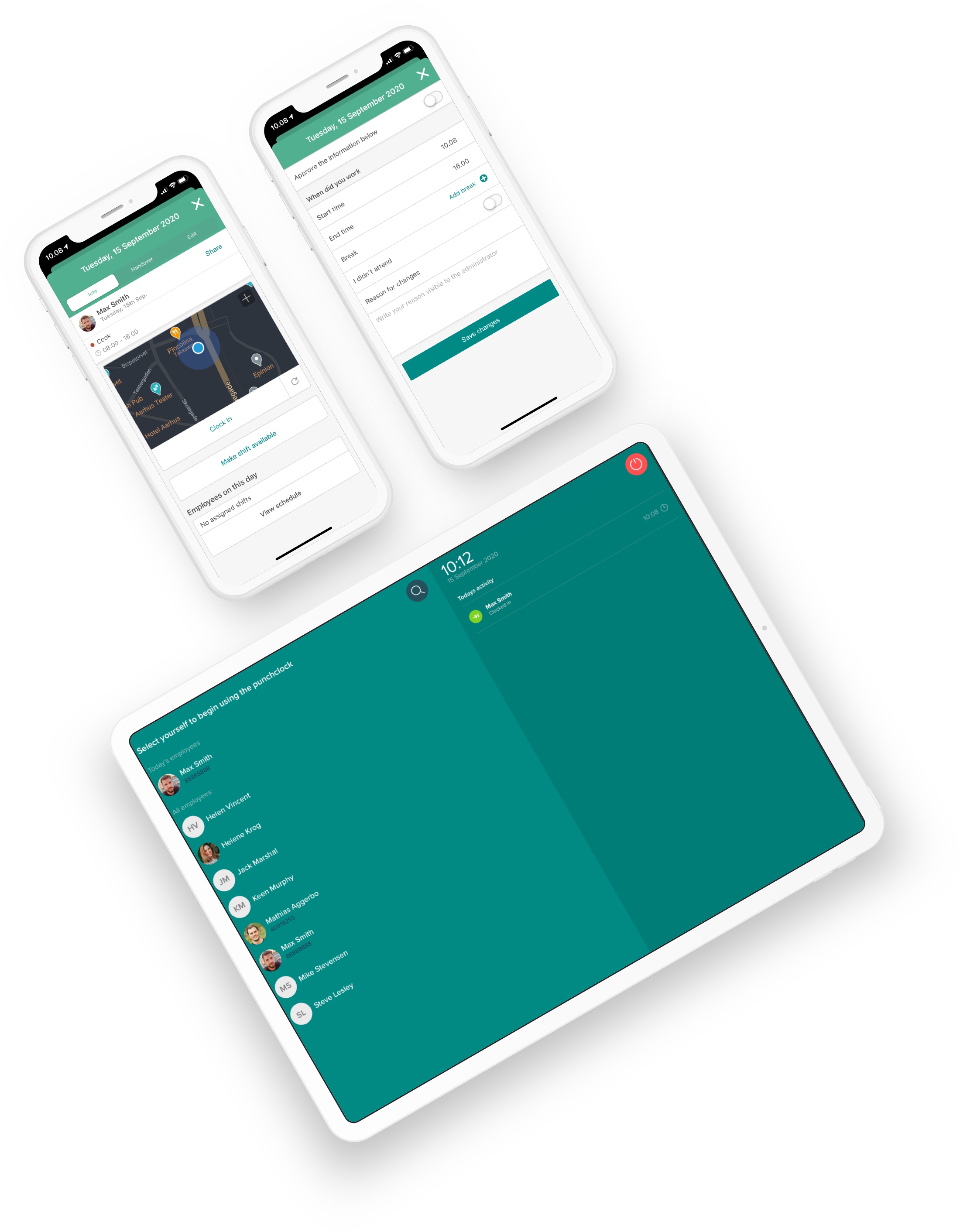
Track working hours via your schedule, the punch clock in our App, or from a tablet at the workplace. All time records are collected in one place in Smartplan so you can get the full overview.

Katrine Prag
/
Owner
Prag Copenhagen
As a manager, you can always see exactly when your employees arrived and left
Select a period for your time report and see all details about your employees' time tracking. Export the hours to your payroll system or Excel.
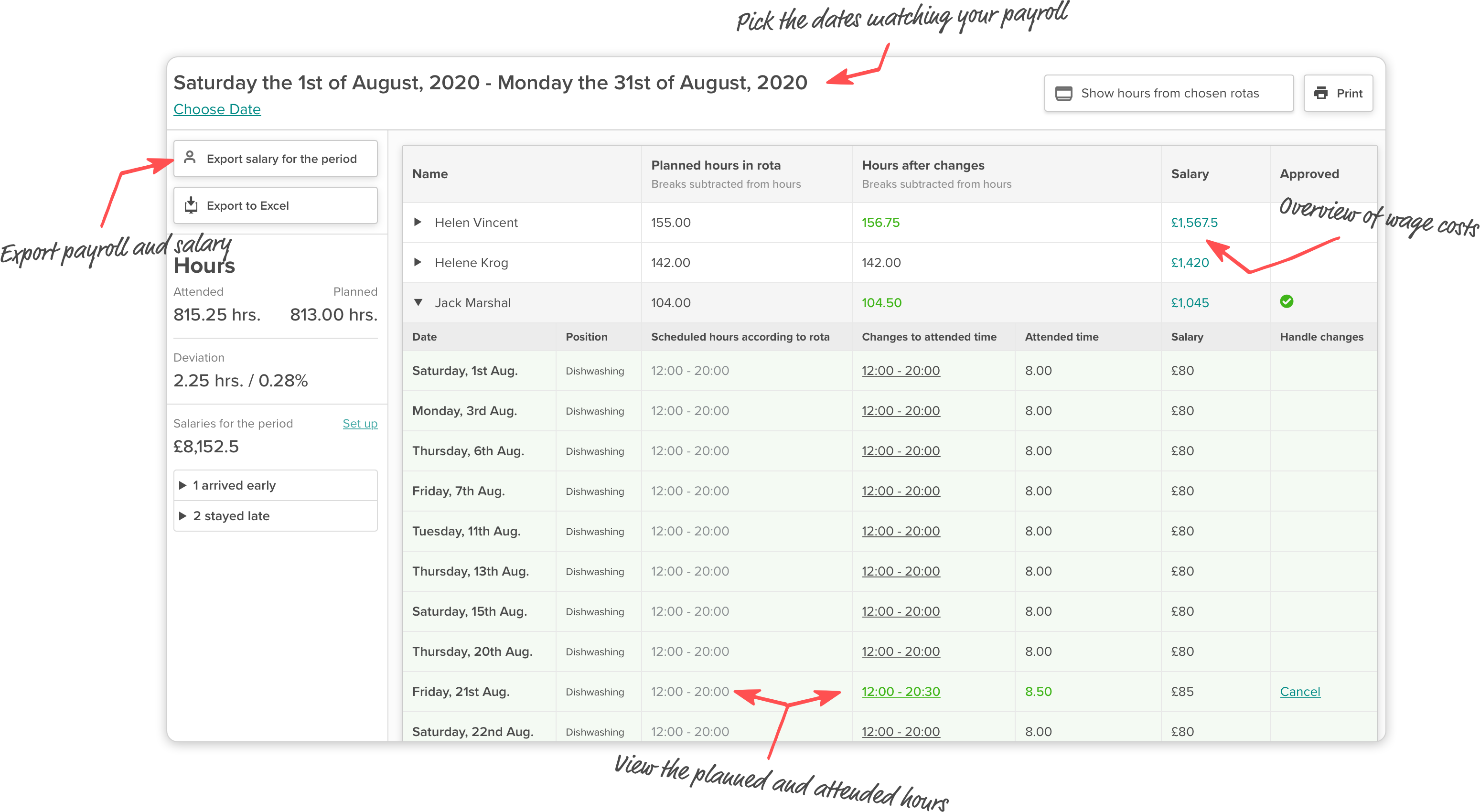
Export payroll hours to your payroll system
With just a few clicks, you can export your payroll hours to a file that you can quickly and easily open in your payroll system. This way, you avoid manual data entry and ensure that allowances, overtime, and sick leave are handled automatically.




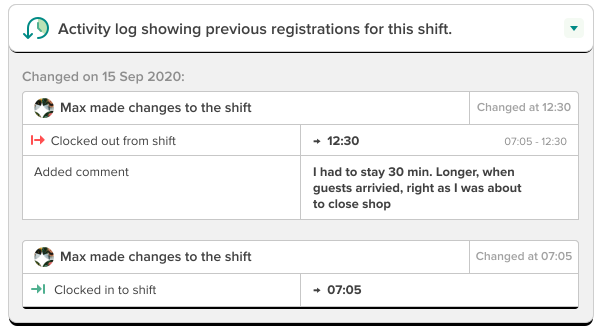
Get all the details about each time record
Sometimes details are needed to give you an overview of your business. Why does the hour count look exactly like this? Why did the employee leave later than planned?
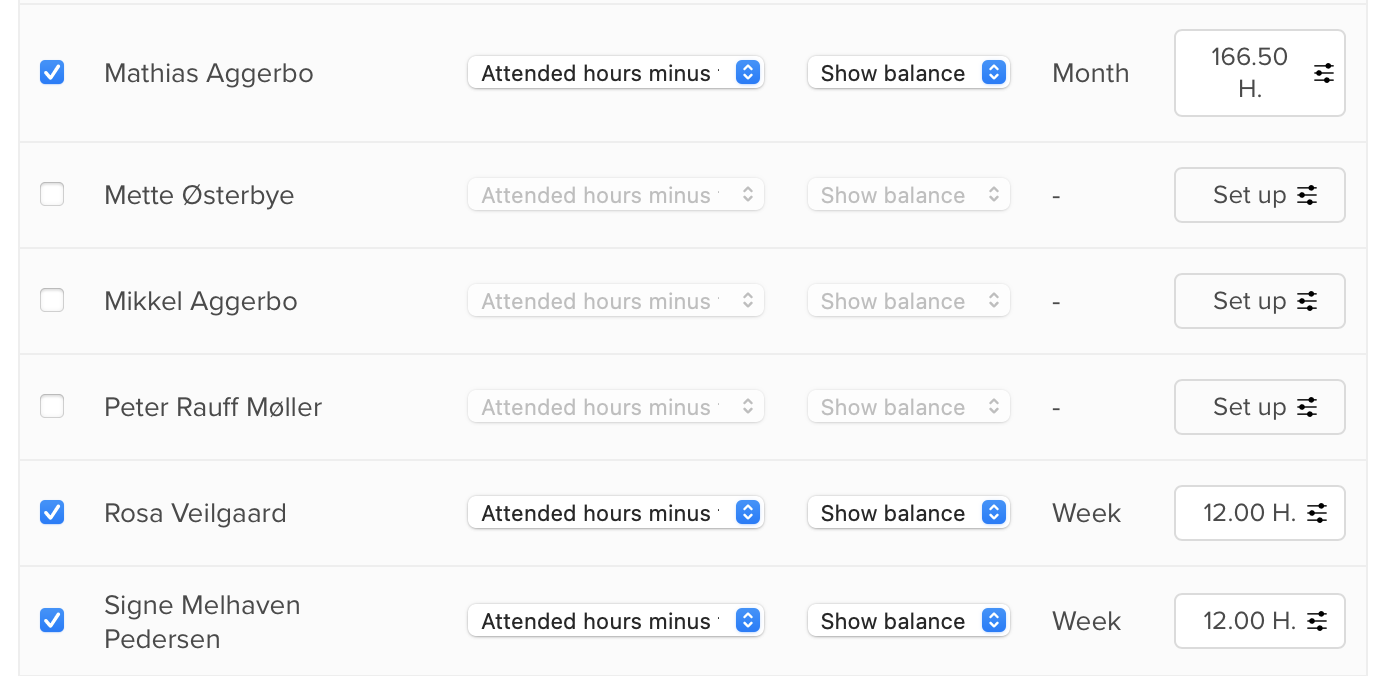
Everything you need to track employee time accounts and overtime
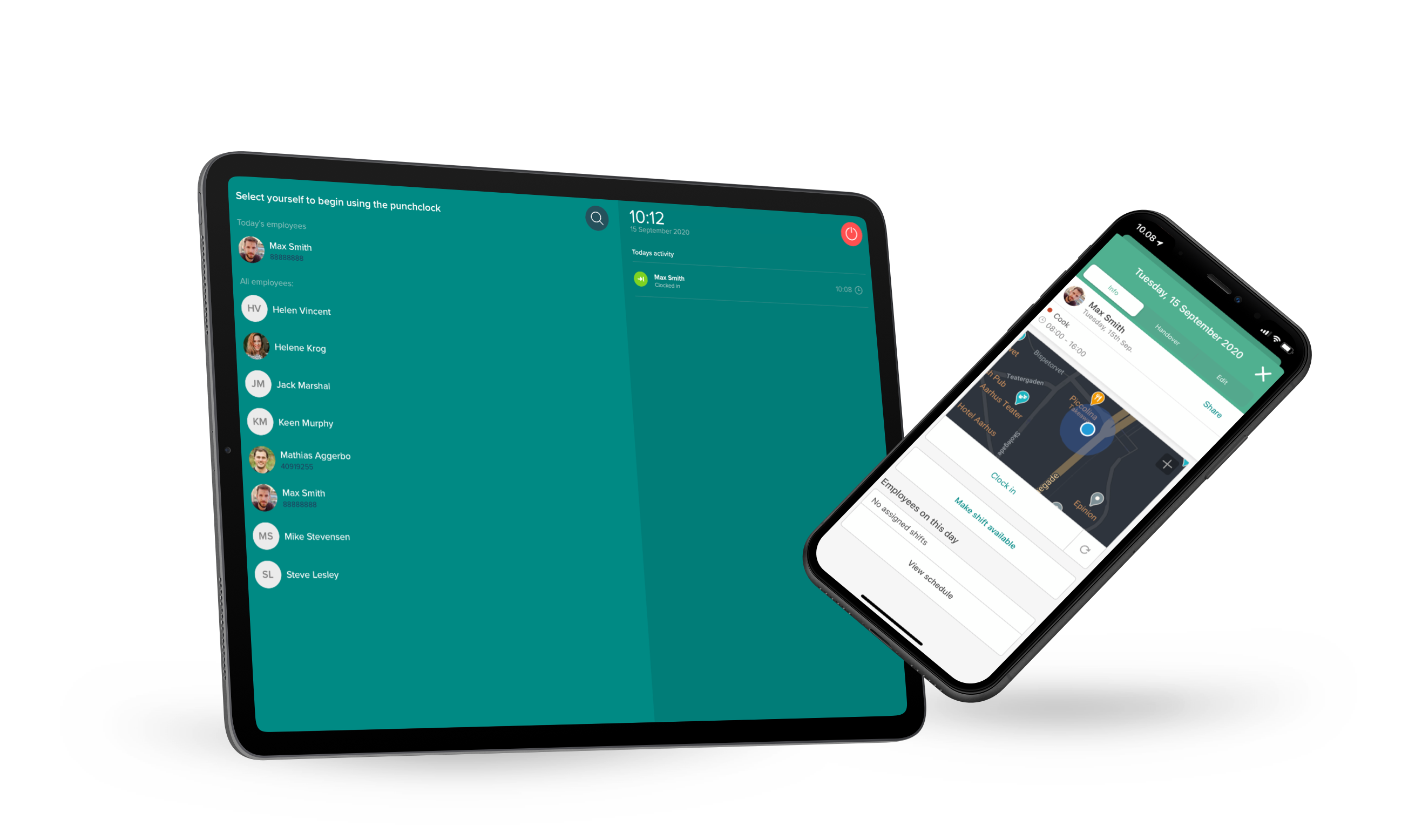
Track time in 3 different ways.
Frequently asked questions about time tracking with Smartplan
-
Can I use Smartplan's punch clock without a schedule in Smartplan?
Yes. You don't need to use Smartplan's scheduling tool or use schedules. If you just need a simple punch clock that's quick and easy to use, Smartplan is all you need.
-
Can I get time tracking in Smartplan without using the punch clock?
Yes, the punch clock is for when you want your employees to clock in and out when they arrive and leave. If you instead want to let employees edit their attendance times like when they fill out timesheets, you can do that too. All edits appear in Smartplan where you can approve and reject them. You can see everything from one place: registrations from the punch clock or edits from employees, everything appears in the same place so you get the full overview.
-
Do you send a terminal for the punch clock or how do I get started?
No, you don't need any hardware from us to get started. You simply open the punch clock on an iPad or other tablet or PC. You can also let your employees clock in from our App on their phones.
-
If employees clock in from their phone, how do I know they've arrived at the workplace?
When you set up the punch clock for mobile, you choose a location on a map where they can clock in and out. Then the GPS in the employee's phone is used to ensure they're at the right place when they clock in and out.
-
What happens if an employee arrives before the shift starts?
How you want to handle such a situation varies from company to company. That's why you can define in the punch clock settings what should happen if an employee arrives early. You can also define what should happen if they stay longer than the shift was planned for. This means, for example, you decide whether they should get hours for arriving early, or only from when the shift starts.
-
Can Smartplan track overtime allowances?
If you want to transfer your working hours to a payroll system, you can create allowances with our Basic subscription, which are included in the file you import to your payroll system. This way, Smartplan and your payroll system ensure your employees get the correct allowances when their working time qualifies for it.
You decide which allowances to use, and you can set them up flexibly for different days and times. For example, you can specify that all shifts after 6 PM should have an allowance, or that all Sundays should trigger an allowance. -
What if an employee doesn't have a shift in the schedule, can they still clock in?
Yes, they can. It often happens that you've called in an extra employee without them having a planned shift. When they clock in, a time record is created for them so you're sure all hours are recorded, even if they weren't planned.
-
Can I clock in at multiple locations?
Yes, if your employees check in at different places, they can easily clock in at different locations. You can divide your schedules into locations, and shifts will automatically belong to those locations when clocking in. You can also set up different locations as geofences that your employees can clock in from on their phone. You can also hang a tablet at each location and let your employees clock in from there.
-
What do I do about breaks, can Smartplan deduct them?
Breaks in Smartplan are always deducted from payroll hours. So when you create breaks on a planned shift, the duration of the break is deducted. The same applies to a time record - when a break is created, it's deducted. A break can either be created when the employee clocks out for break when they start the break and back to work when the break ends. You can also set up the punch clock so the employee must fill in how many minutes of break they've taken when they clock out.
-
How do I handle payroll hours if an employee was sick?
If an employee doesn't show up due to illness, you can mark it on the shift so the hours don't count. You can also set up the punch clock to automatically trigger 0 hours if no one clocks in on the shift. Smartplan can handle holidays, sick leave, absence, and time off in lieu.
-
What does time tracking in Smartplan cost?
Time tracking and overview are always included in all our basic subscriptions. The punch clock is also included in all packages, but the mobile punch clock is only available in the Basic and Pro subscriptions. To handle allowances and export to payroll systems, you need our Basic subscription. You can read much more about our prices here.
Sign up for free and get started in 2 minutes
Read more about why Smartplan is right for you: