


New features coming to Smartplan
We often receive new feature requests from our customers and these requests are often the foundation of new features that we choose to launch. Lately, three requests have been repeated several times:
- A holiday account
- Division of employees on locations
- More specific admin rights
And because we know many of our customers are waiting for these features to come, we wanted to write this post to let you know that the wait is almost over. Our developers are currently working on all of these features.
Since they are still under development, the final versions of the features are still not 100% clear. Therefore, we have to mention that everything we say here is to be taken with caution. Things can still change before the features are launched. But we do want to give you an idea about what we are working on.
Holiday account
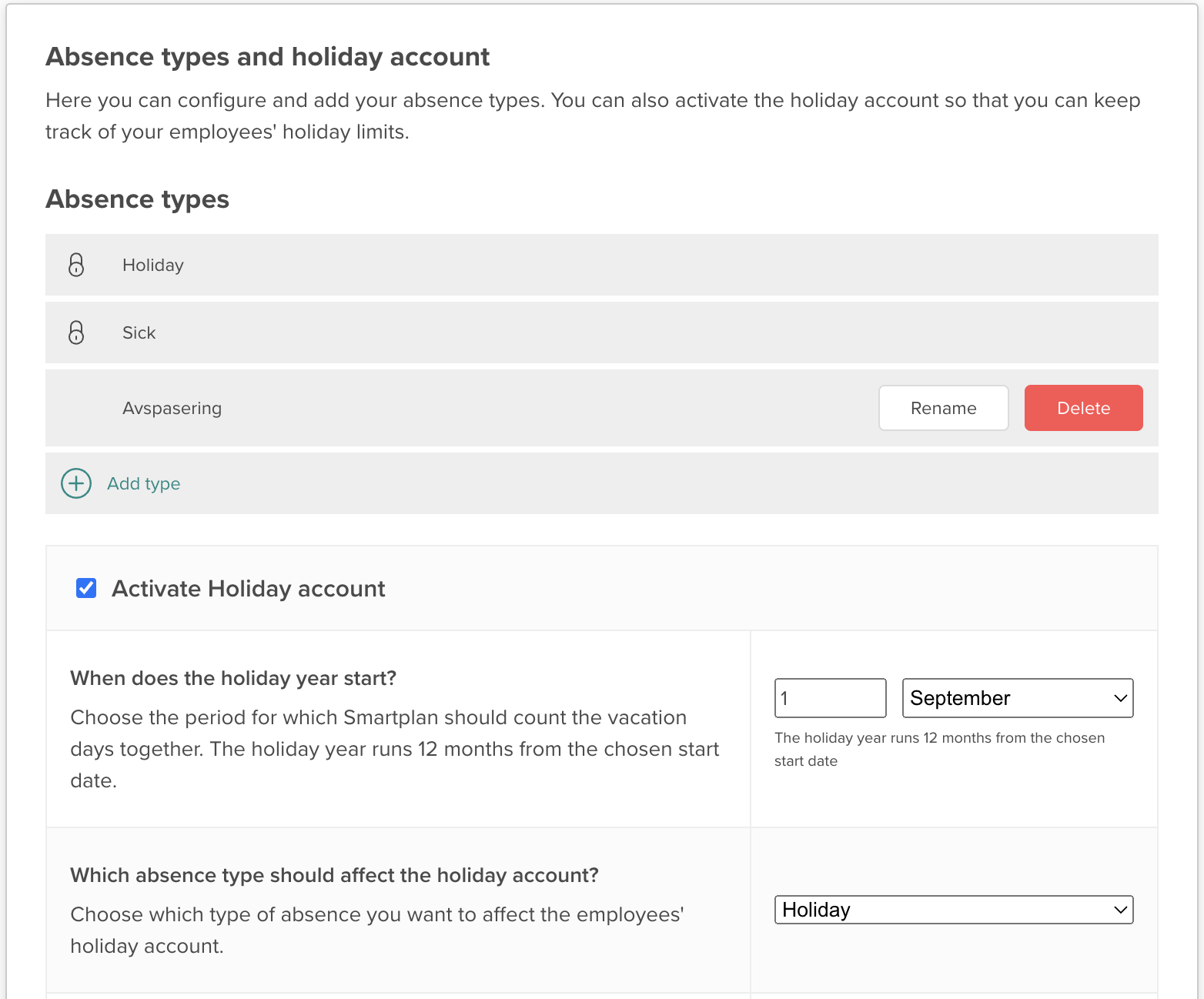
In your account settings, you will be able to activate a holiday account - this is of course purely optional. If you do activate it, you can choose which type of absence you would like to affect the account. This will always be on a yearly basis.
Furthermore, you can set a limit for each individual employee. This means that you can choose how many vacation days they have throughout a year. For each employee you can then get an overview of how many vacation days they have already had, how many vacation days they have planned and how this corresponds with the employee’s limit.
The employees’ holiday count will be shown during absence creation, on the employees’ profiles and in the detailed overview on the “Employees” page.
Location division
This is one of the really big news. We are fundamentally changing how your Smartplan account can be structured. This can especially be beneficial for companies who have many employees or whose departments work strictly isolated from each other.
The update will make it possible to assign employees to specific locations, which especially can be useful in the planningproces. When you plan your rotas, you will only have to choose from the employees who are actually connected to the location. Likewise, only employees who are connected to the location will be able to hand in their shift requests and so on. Hopefully, this will make your shiftplanning much easier going forward.
You decide how much all employees on your account should be able to see. Going forward, you will be able to choose if the employees should be able to see all rotas, users or messages across the locations or not.
A new user role
At the same time, we will introduce a new user type situated somewhere between a regular user and an admin. For now, we will call this user type “the planner”.
Basically, this user type will have focus on the shiftplanning part and will be able to administrate requests from the employees without having access to the general account settings.
It is however still a bit unclear exactly which rights the planner will have and whether it will be possible to alter these rights. Therefore, you will have to wait and see how this turns out.
Either way, we hope that all of these new features will improve the use of Smartplan for many of our customers. We cannot give any set timeframe for the launch of the features, but we do hope that they will all be launched in the first quarter of 2023. And it is also safe to say that the first feature to be launched will be the holiday account.
As soon as we launch any of the features, we will make sure to let you know on our blog with a new post, so you can be sure you do not miss it.
Smartplan
Published 5 January 2023
Ready to try Smartplan?
Start your free 30-day trial today. No commitment, no credit card required.
Try Smartplan freeGet to know Smartplan
Everything you need for shift planning, time tracking and employee management — all in one place.