


New in Smartplan: Manage your team faster and smarter
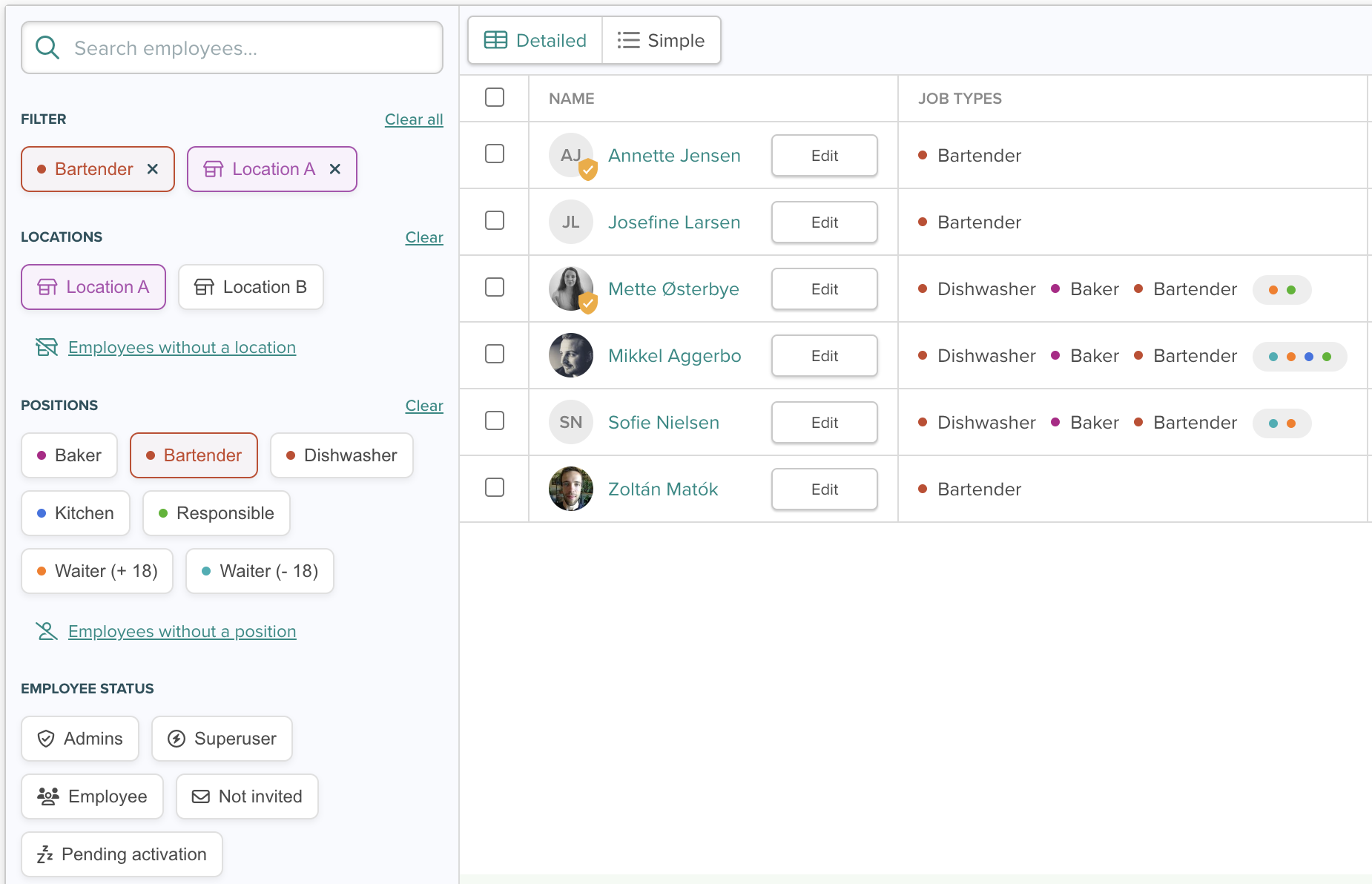
Keeping track of your team should be easy and quick – not a time-consuming task. That’s why we’ve worked to make the Employees page even more organized, efficient, and user-friendly. With our latest updates, you’ll gain better oversight and save time in your daily employee management.
Here’s what you get:
- More filtering options to find exactly the employees you’re looking for
- A cleaner and more organized table
- The ability to add hourly wages directly in the table
Let’s dive in.
Quickly find the right employees with enhanced filtering options
We’ve revamped the filter on the left-hand side, giving you even more search options for finding specific employees. Now, you can search by:
- Location: Quickly find employees from a specific location in your Smartplan account.
- Positions: Filter by positions to easily find employees with specific responsibilities.
- Employee status: Get an overview of administrators, superusers, employees, or those who haven’t activated their user or been invited yet.
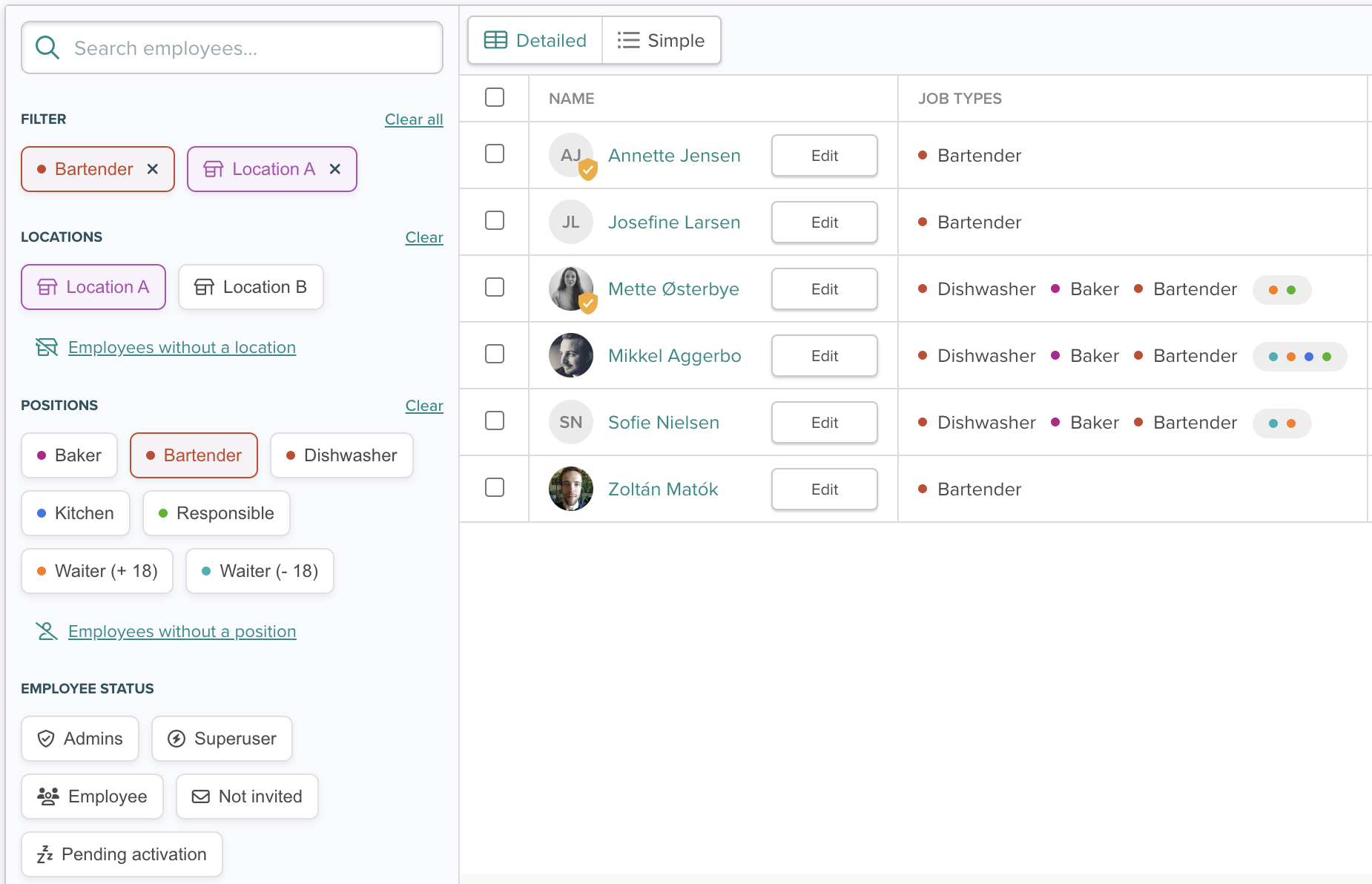
With these enhanced filtering options, navigating and finding the exact employees you need has become much easier. You can even combine filters, for example, to see all bartenders at Location A:
Get a clearer overview with a more organized table
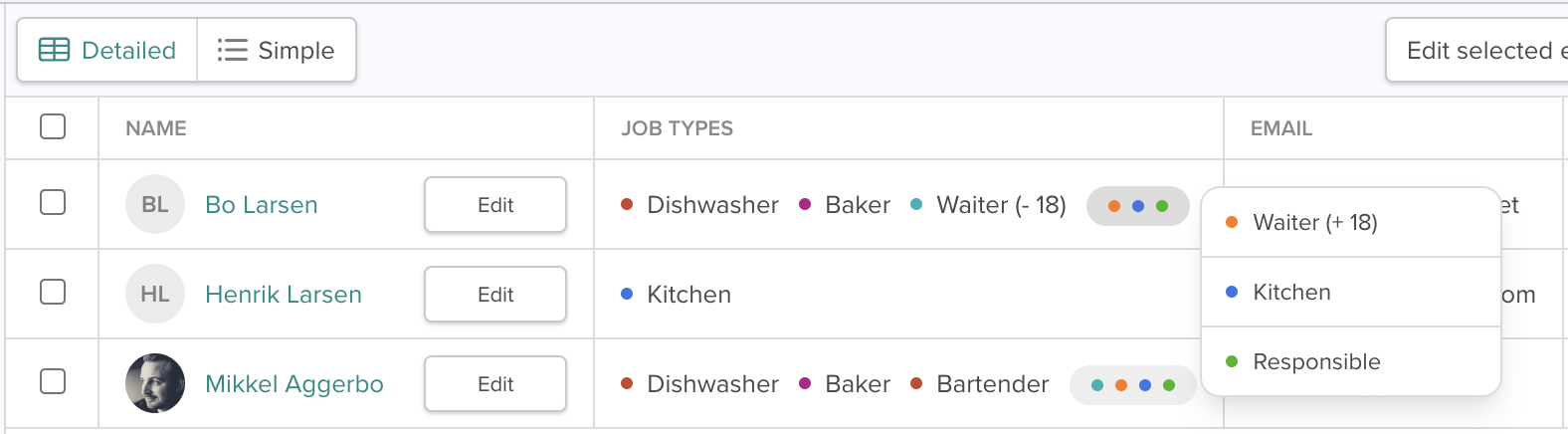
The table on the Employees page has also been improved. Previously, positions could take up a lot of space in the table, but now they’re grouped for a cleaner layout.
The first three positions are displayed as usual, while the rest are marked with a color. By clicking the color, you can see which positions they represent. This saves space and makes it easier to scan the table, especially if you have many employees with multiple positions.
Add or edit hourly wages directly from the employees page
Finally, you can now add or edit an employee’s hourly wage directly from the Employees page. This feature is available for administrators and superusers with permissions to manage salary.
Simply ensure that the Hourly Wage column is enabled under “Show/Hide Columns.”
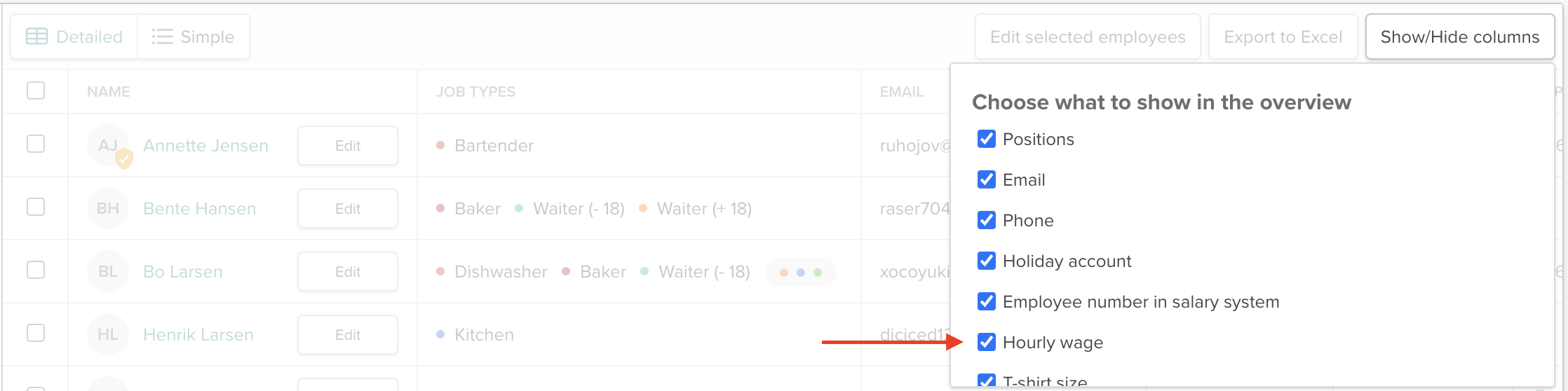
Then, on the right-hand side of the table, you can add or adjust wages for your employees.
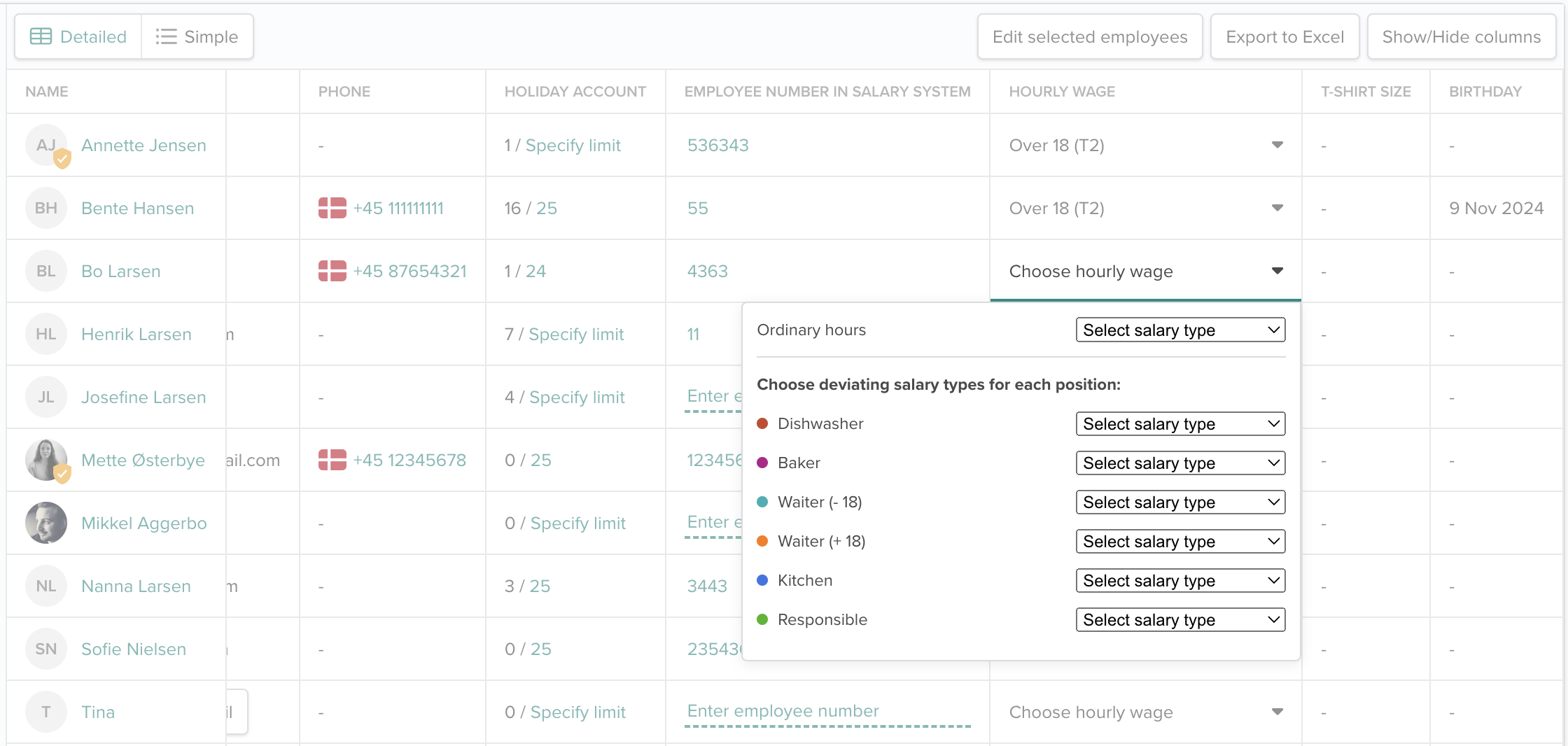
By adding hourly wages directly on the Employees page, we hope to reduce the number of steps you need to take when handling payroll, as you no longer have to go into settings. Hopefully, this will save you time.
Try the new features on the Employees page today and see who they can make your daily tasks easier. If you have questions or feedback, feel free to contact us at support@smartplanapp.com - we’d love to hear from you!
Smartplan
Published 28 November 2024
Ready to try Smartplan?
Start your free 30-day trial today. No commitment, no credit card required.
Try Smartplan freeGet to know Smartplan
Everything you need for shift planning, time tracking and employee management — all in one place.