


New in Smartplan: Get a complete overview of your employees’ days of holiday
Are you tired of having to keep track of numerous notes with your employees absence requests? And is it difficult to get an overview of whether they have enough days of holiday left when they request time off?
Then you can benefit from our newest update. Smartplan is now launching a holiday account which is available for all of our customers without extra costs.
What is a holiday account in Smartplan?
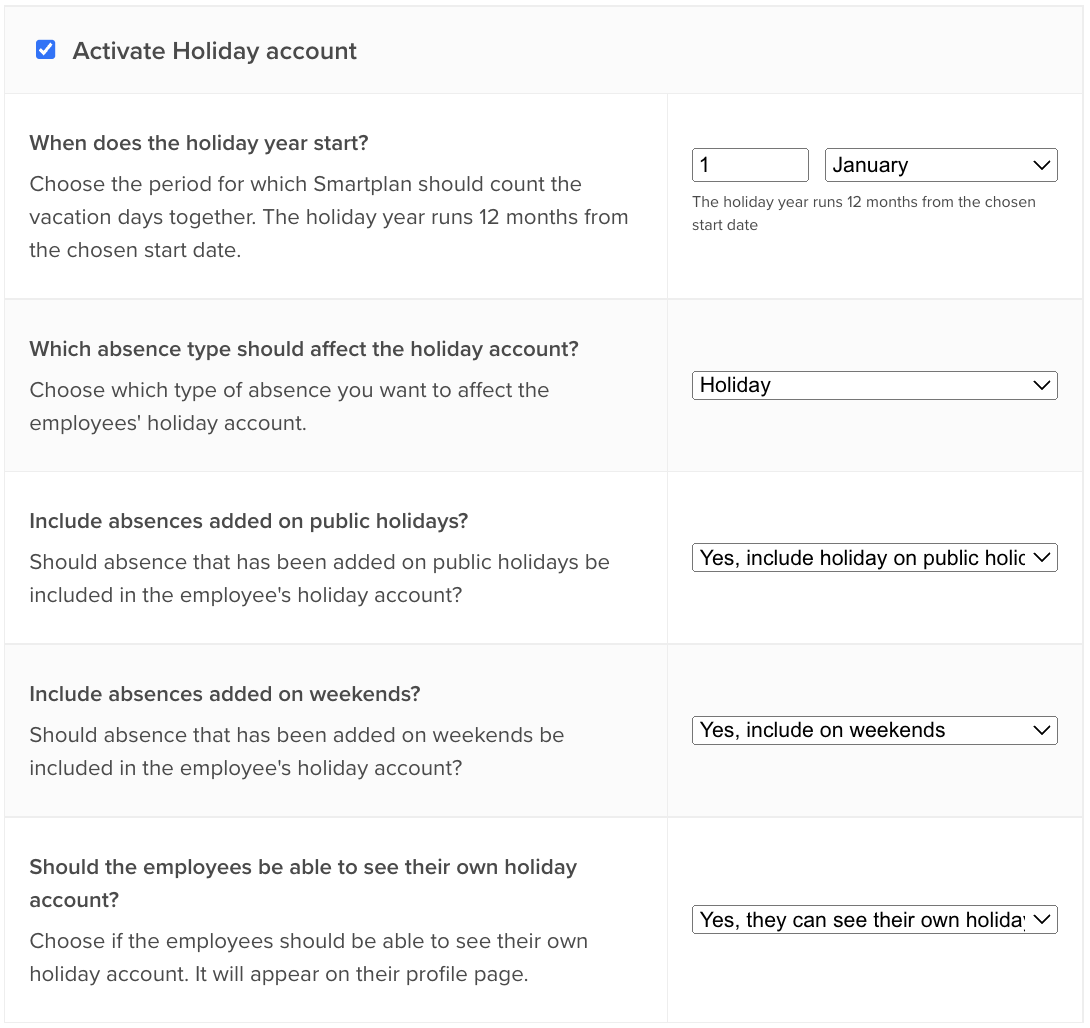
The holiday account makes it possible for you to set up limits for how many days of holidays your employees have available throughout a year. Once the holiday account has been set up, you can always keep track of how many days of holidays your employees have had compared to how many they have available. You can find the holiday account in Settings -> Absence.
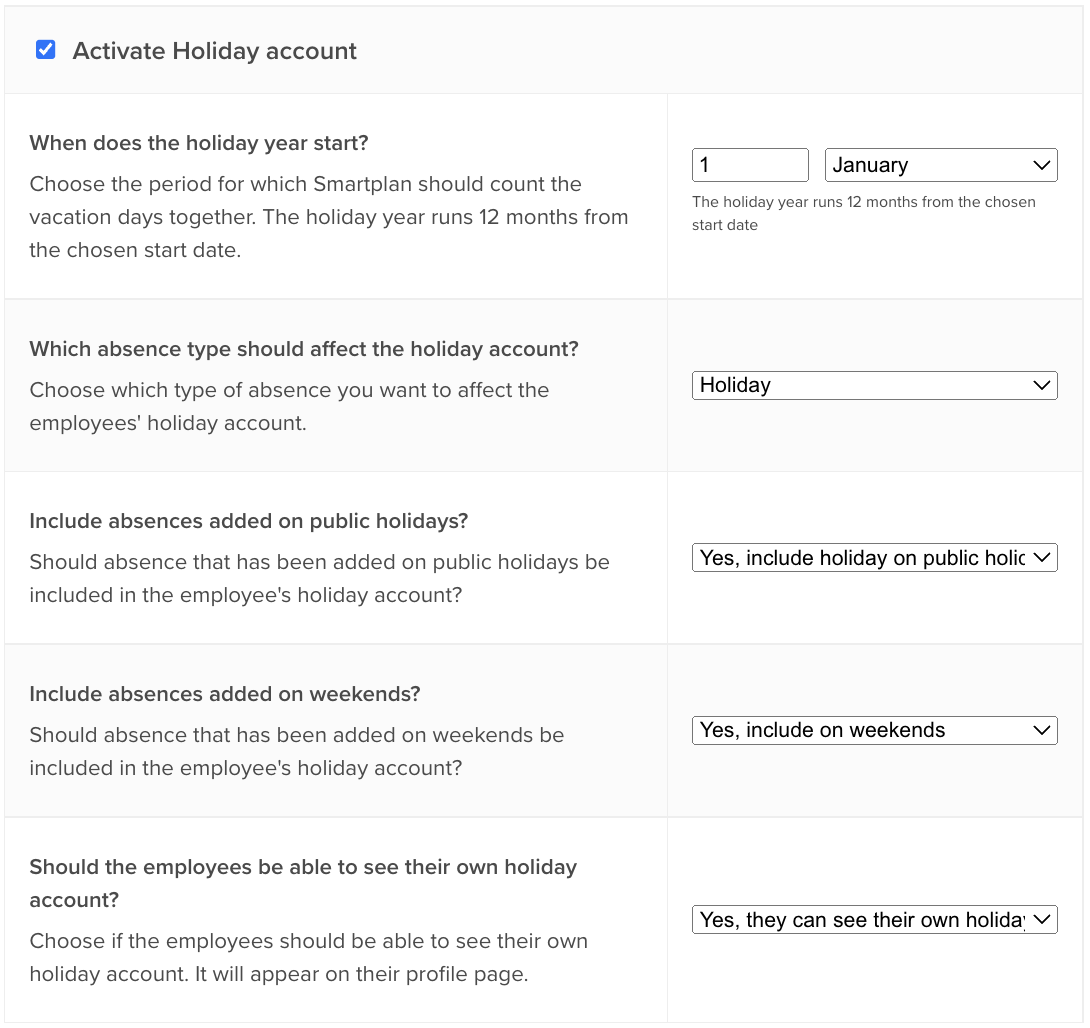
There are different settings you can adjust based on how the holiday account should work on your account.
First and foremost you choose which date you want the holiday year to start. The holiday year always runs 12 months from the start date you have chosen.
Most of our customers will use the holiday account to keep track of days of holiday, but it is possible to choose which absence type you would like to affect the holiday account. If you for example would like to use the holiday account to keep track of care days, you simply create an absence type called “care day” and choose this in the settings instead.
Furthermore, you can choose whether absence on weekends and holidays should be included in the holiday account. This means that if you for example choose not include weekends, then absences that the employees have on Saturdays and Sundays will not count as used days of holiday.
Finally, you can choose whether the employees should be allowed to view their own holiday accounts or if only admins should be allowed to view them.
How to keep track of your employees’ days of holiday
You can always keep track of how many days of holiday your employees have used and have left different places in Smartplan.
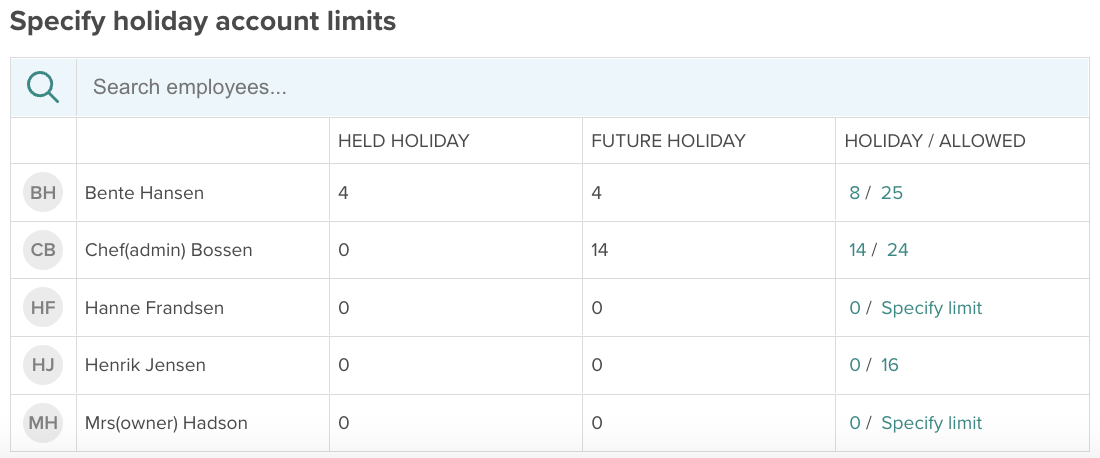
In Settings -> Absence, you can find a table with all of your employees. Here you can see:
- How many held days of holiday each employee have had during the holiday year
- How many future days of holiday each employees has planned in Smartplan
- The employee’s total number of days of holidays (held + planned) as well as the employee’s allowed limit
This means, that this is where you specify how many days of holiday each employee has available throughout the holiday year.
You can also keep track of the holiday account in the following places:
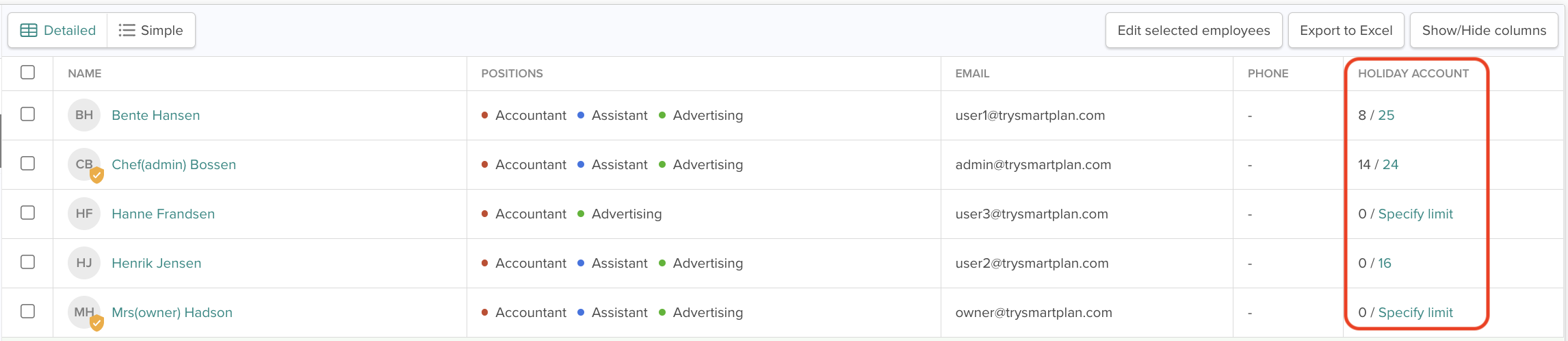
On the employees page
On the page “Employees”, you can activate the detailed overview and then you will be shown a column with the employees’ holiday accounts.
In this overview, you can see the total number of days of holidays that the employee has in Smartplan (held + planned) as well as the employee’s allowed limit:
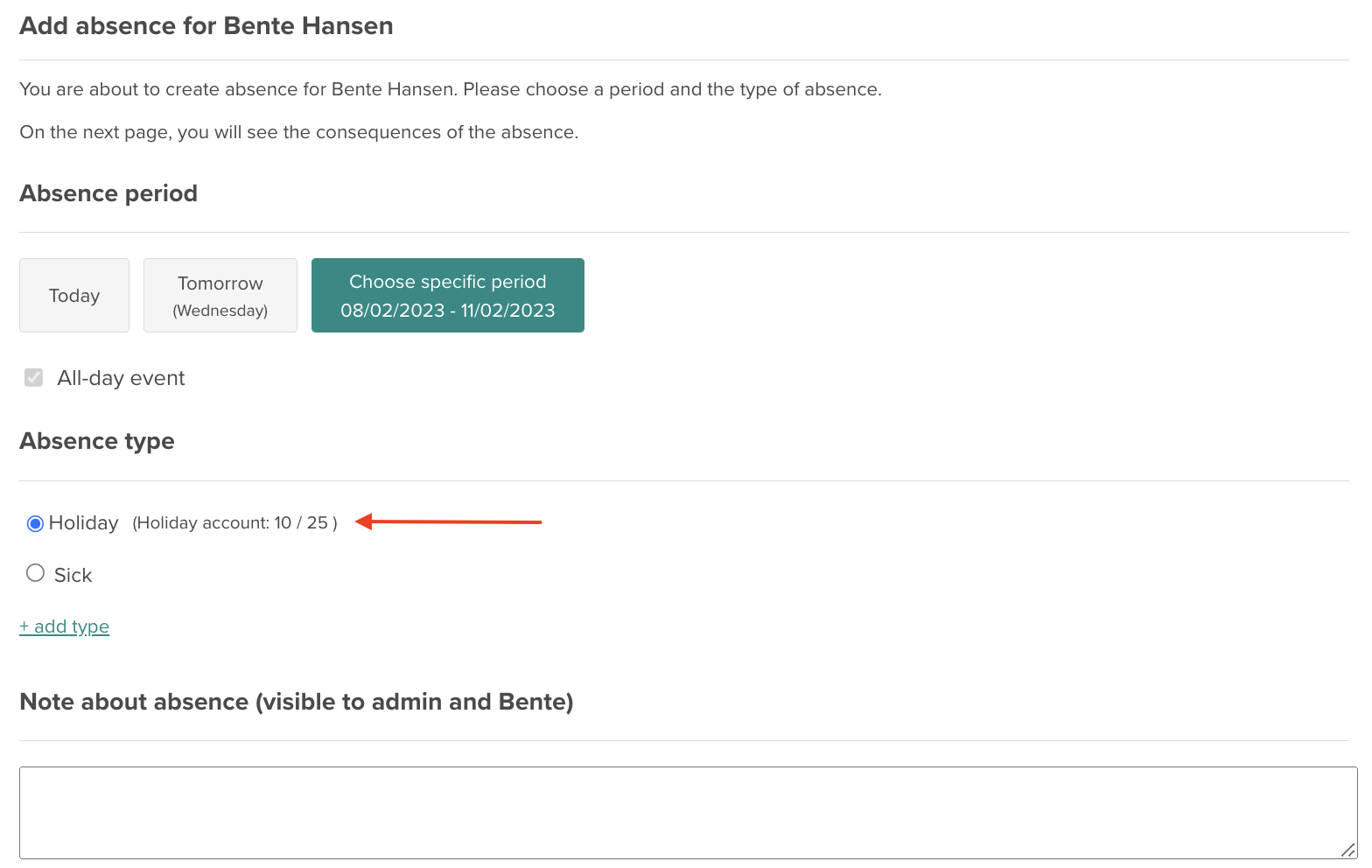
When creating absences
When you and your employees create absence in Smartplan, it is also possible to see the holiday account. This makes it easy for you to get an overview of how the new absence will affect the holiday account:
On the employees’ profile pages
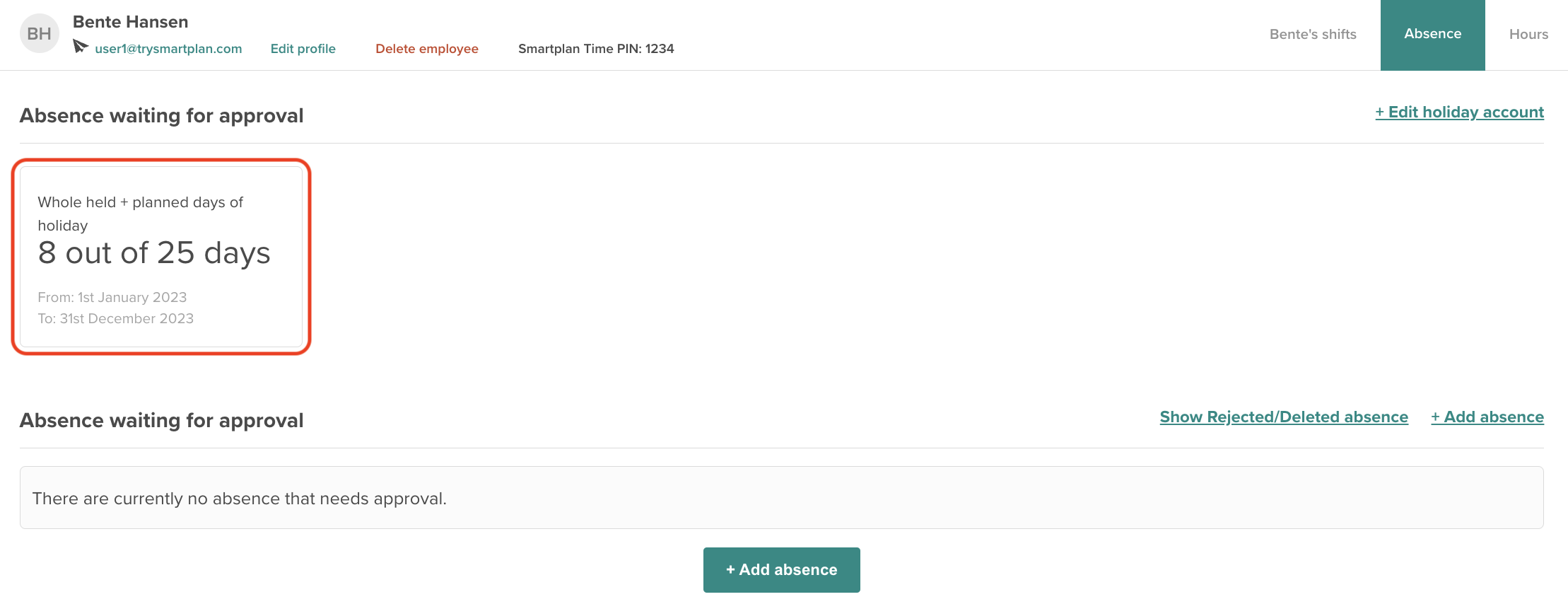
Finally, the holiday account is also visible on the employees’ profile pages under “Absence”.
This is also where the employees can view their own holiday accounts if you have allowed this in the settings.
If you have questions about absence or the holiday account, feel free to take a look in our manual articles about absence.
Otherwise, reach out to us on support@smartplanapp.com or through the chat, and then our supportteam will help you.
Smartplan
Published 31 January 2023
Ready to try Smartplan?
Start your free 30-day trial today. No commitment, no credit card required.
Try Smartplan freeGet to know Smartplan
Everything you need for shift planning, time tracking and employee management — all in one place.