


New in the Smartplan App: Punch Clock Activities and Employee Information
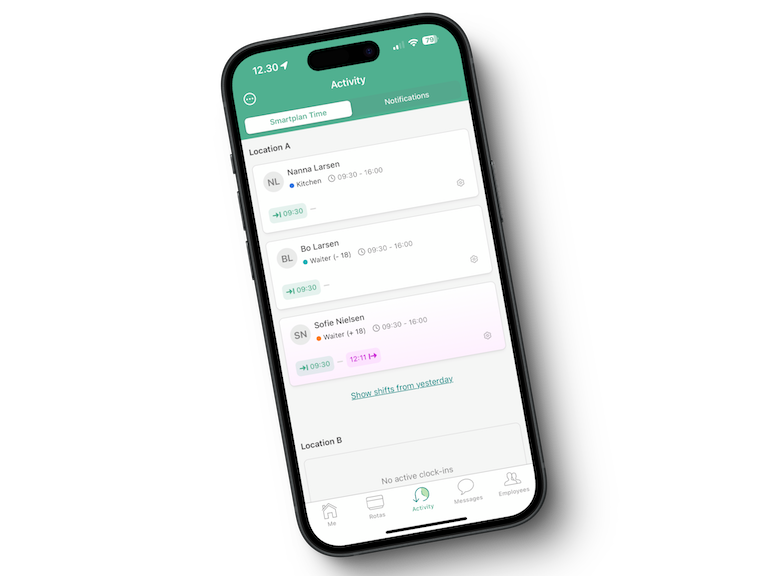
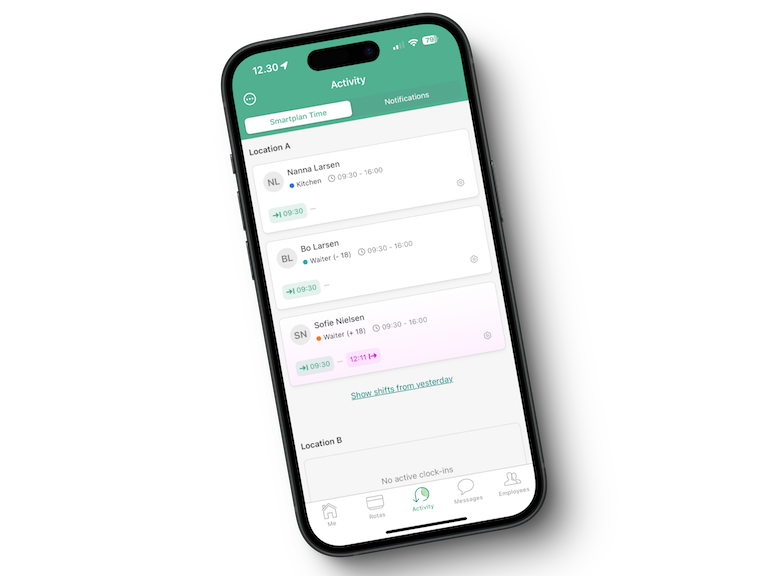
Before the summer break, we launched two new updates to Smartplan. We introduced a new menu item for the punch clock, and we made it possible to add files as extra information on employees. Today, these two updates have also been added to the Smartplan app.
Punch Clock Activities in the Smartplan App
With the new punch clock timeline, you as an administrator get a clear overview of who has clocked in and out, and when this happened—all directly from the app. This allows you to quickly check on employee attendance.
You will hopefully experience benefits from this update, such as:
- Time-saving: You no longer need to log in to your computer to get an overview of clock-in times. Everything is available on your mobile.
- Increased visibility: Employee clock-in times are now gathered in one place and visible in real time, making it easier to respond quickly if there are discrepancies.
- Efficient administration: This feature helps you ensure that working hours are adhered to and that everyone is in place on time.
You can find the new overview in the “Activities” menu in the app. This menu item now contains both punch clock activities as well as other activities on the account, giving you a complete overview.
Files and Extra Information in the Smartplan App
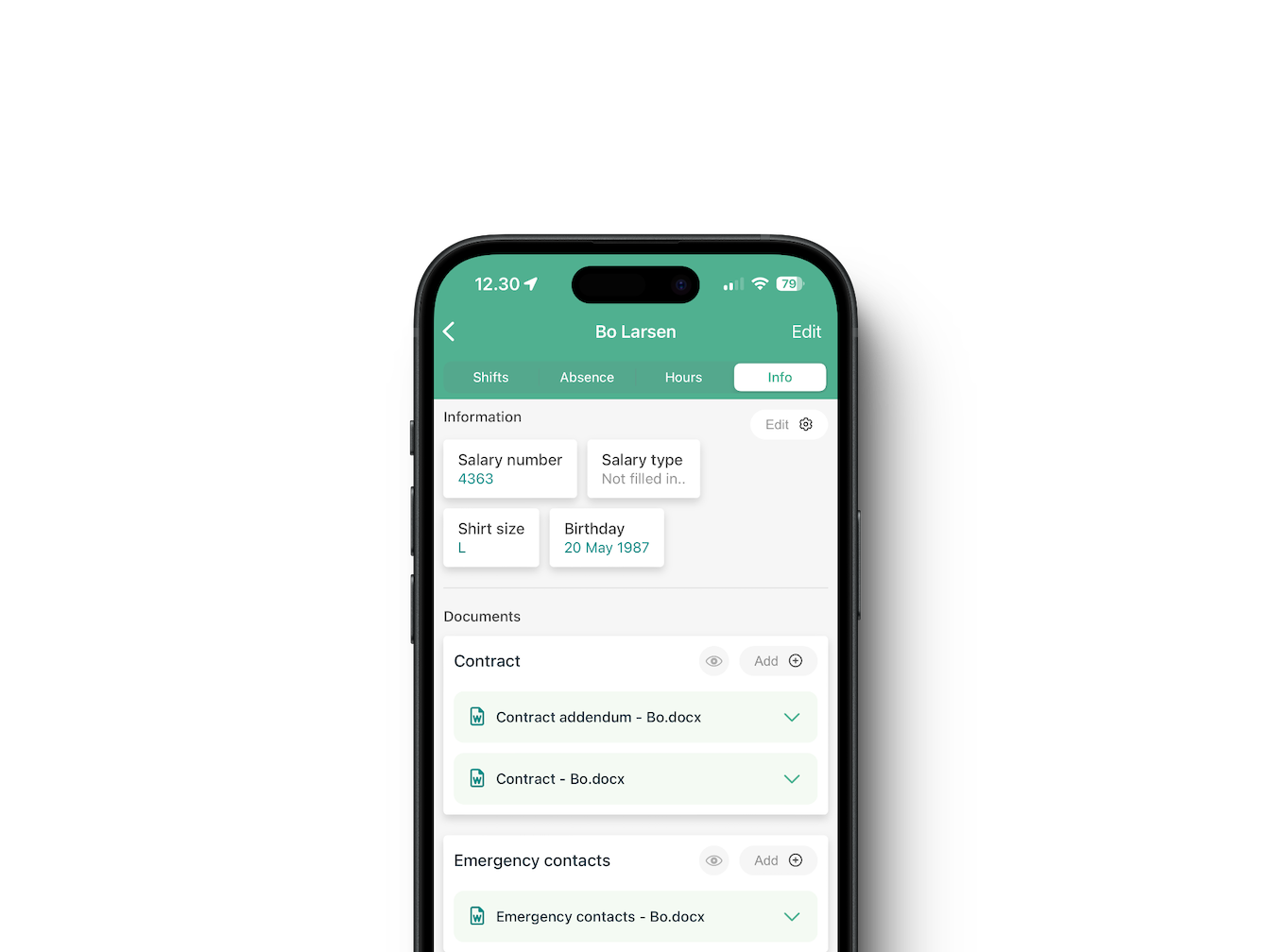
The second new feature is the ability to add extra information to employee profiles directly in the app. Whether it is employment contracts, course certificates, or other important documents, you can now have everything gathered in one place.
The extra information can also include dates such as birthdays or anniversaries, or text fields such as uniform sizes. This ensures that you can quickly and easily find the necessary information when you need it.
The settings you have chosen on your Smartplan account in a browser are also applicable in the Smartplan app. This means that if, for example, you have chosen that contracts should be visible to the employee + administrators, but only administrators can edit the field, this will also be the case in the app.
We hope you enjoy the new updates. If you want to read more about the features, you can take a look at these two blog posts:
As always, feel free to write to us at support@smartplanapp.com if you have any questions that we can help answer.
Smartplan
Published 28 August 2024
Ready to try Smartplan?
Start your free 30-day trial today. No commitment, no credit card required.
Try Smartplan freeGet to know Smartplan
Everything you need for shift planning, time tracking and employee management — all in one place.