


New punch clock setting: Prevent salaried employees from being marked as absent due to missing clock-ins
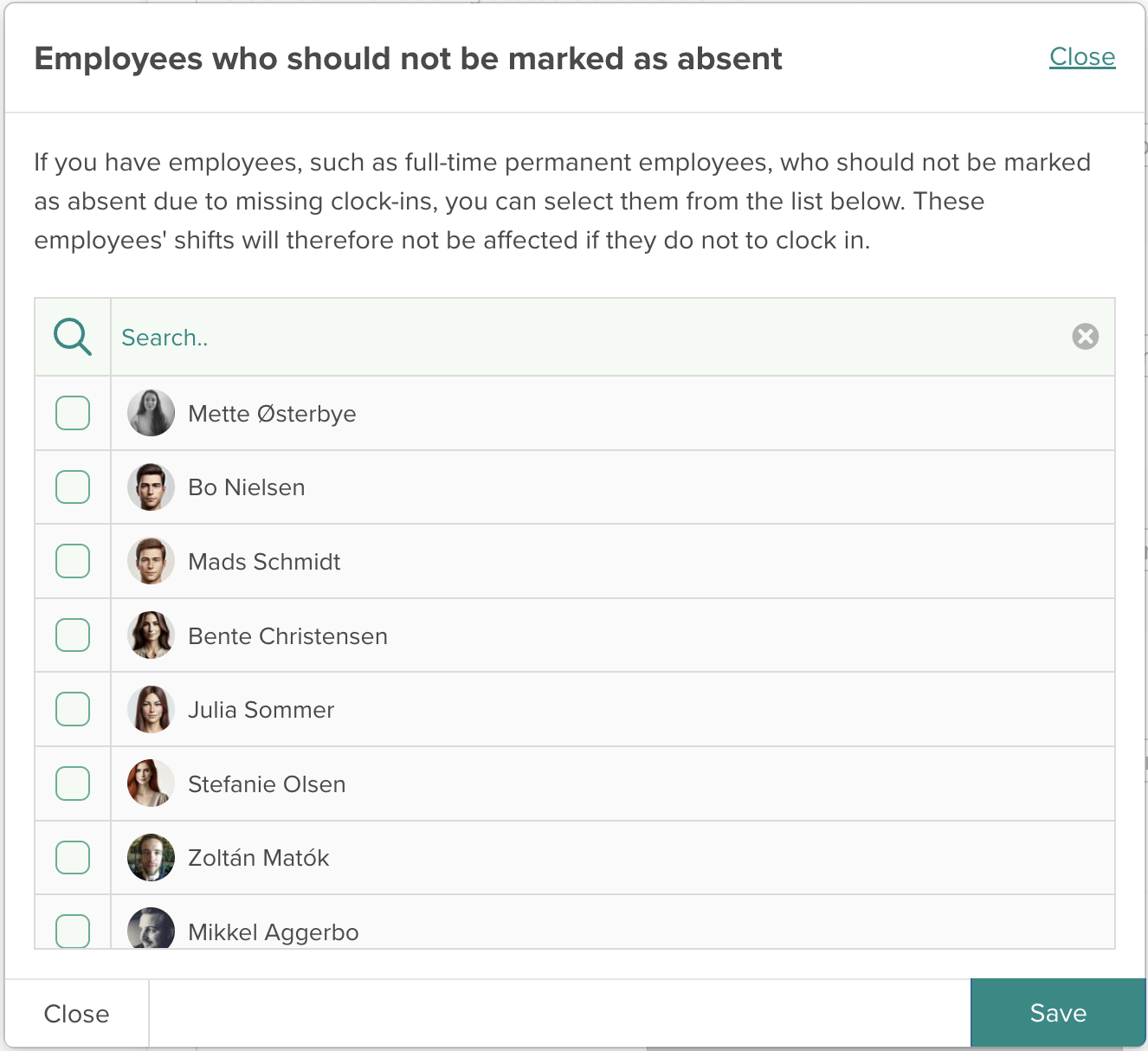
We’ve launched a new feature in Smartplan’s punch clock that provides even greater flexibility in managing the employees’ shifts. The new feature allows you to choose specific employees who will not be marked as absent if they do not clock in for their shift. This is particularly useful for employees who do not need to use the punch clock, such as full-time permanent salaried employees with flexible working hours or staff whose tasks do not require time recording.
This feature enables you to continue using the punch clock for the rest of your team while avoiding unintended absence records for selected employees.
Benefits of using the new feature
The feature is designed with flexibility and efficiency in mind. Here are some of the key benefits:
- Tailored to different roles: Not all employees have the same time recording needs. This feature allows you to customize the system for different groups of employees.
- Easy administration: The feature is simple to use and gives you full control over which rules apply to which employees. Updating the list is quick and easy if there are changes to your staff.
- Time savings: You no longer need to manually review long lists of employees to adjust absence statuses based on your settings.
How to enable the feature
Go to "Settings" → "Punch clock and time recording" → "Punch clock settings". As always, you can select the option to mark employees as absent if they don’t clock in for their shift. When you enable this setting, a small icon will appear next to it:

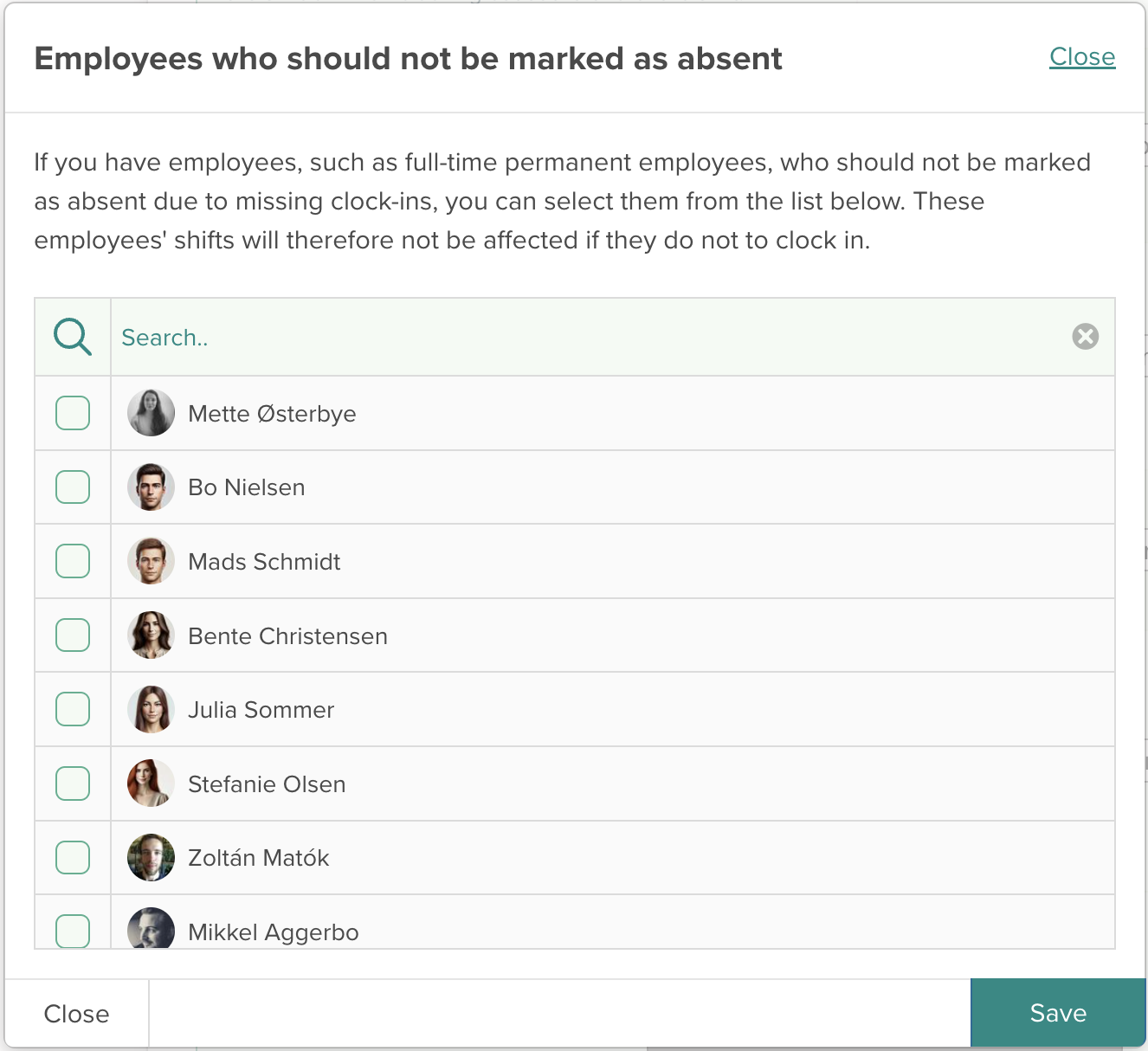
Click the icon to open a list of all employees. Here, you can check the box for employees who should be exempt from this rule. This ensures their shifts are not affected, even if they do not clock in. Don’t forget to save your settings once you’re done making changes.
We hope you enjoy the new update. If you have any questions, feel free to contact us at support@smartplanapp.com. Our support team is always ready to assist!
Smartplan
Published 13 January 2025
Ready to try Smartplan?
Start your free 30-day trial today. No commitment, no credit card required.
Try Smartplan freeGet to know Smartplan
Everything you need for shift planning, time tracking and employee management — all in one place.