






Smartplan Assistant

Builds your schedule. Looks after it.

Smartplan Assistant knows the rules you have set for your schedule. You can let it build the whole plan for you, or use it as an extra pair of eyes as you plan yourself. Once the schedule is out, it keeps checking shift swaps, absences and all the changes that usually slip through.

30-day free trial. No credit card. No commitment.

Smartplan Assistent Updated just now
Active

Rule violations today

4
  • Max hours per week
    2 employees
  • 11-hour rest rule
    1 employee
  • Consecutive days off
    3 employees
  • Day off after weekend
    1 employee
See all rule violations in Smartplan Open

Three situations. Same assistant.

Use it as an extra pair of eyes as you plan yourself. Let it suggest staffing. And let it keep checking once the schedule has been sent to employees.

Schedule · Week 42
5 employees
Mon
Tue
Wed
Thu
Fri
Lars
Maria
Noah
Ida
Lars
Noah
Noah
Maria
Maria
Lars
Rule violation caught
11-hour rest rule · Noah · Tue evening to Wed morning

As you plan

It catches rule violations as you work

Every time you place or move a shift, the Assistant runs through all 33 rules. You see rule violations straight away, not once you are finished. Click a violation and you go straight to the shift itself.

Suggesting staffing Assistant is thinking...
4,218 combinations 62%
  • 47 shifts assigned
  • 18 employees' requests weighted
  • 0 rule violations so far
Forecast: 2 sec. Running

Suggest staffing

Let it build the whole schedule for you

Press "Suggest staffing" and the Assistant starts working. It tests many combinations and finds the one that best fits your rules, employee requests and the staffing needs you have set up. Anything you have placed and locked yourself is left alone.

Max hours per week
Snooze
24 hours
7 days
30 days
Permanent
Snoozed until Monday

After publishing

It does not let go once the schedule is sent out

Once the schedule is published, the Assistant continues. Shift swaps, absences, changed start times. Everything is checked against your rules again. At 06:00 you get a short email with anything that caused problems overnight.

You choose how much the Assistant should take on.

Place shifts yourself, or let the Assistant suggest them

You build the schedule the way you usually do. As you work, the Assistant marks rule violations the moment they appear. If you would rather have help, press "Suggest staffing" and get a draft for the whole week.
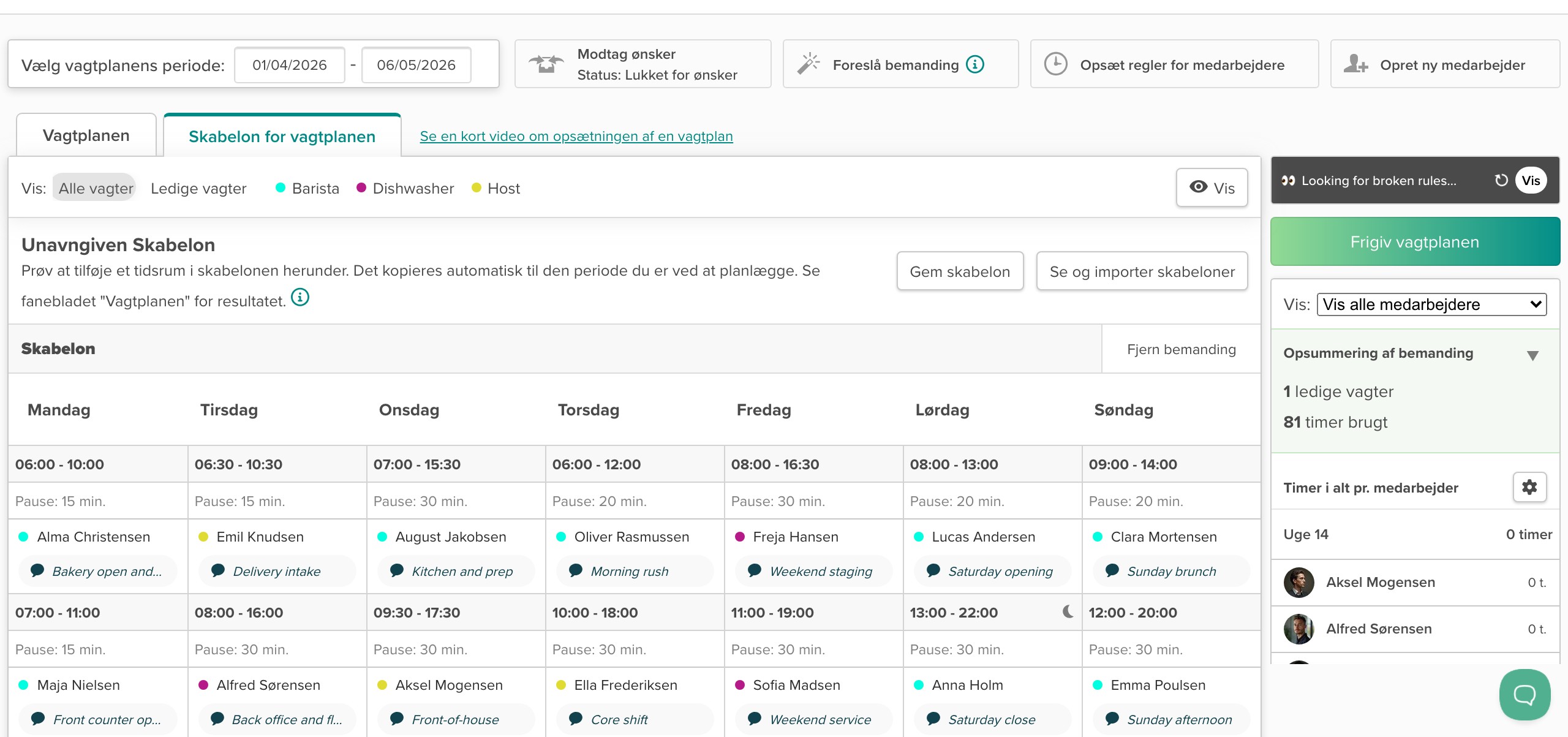
Scheduling in Smartplan with live rule checks

The schedule is checked when everyday work changes it

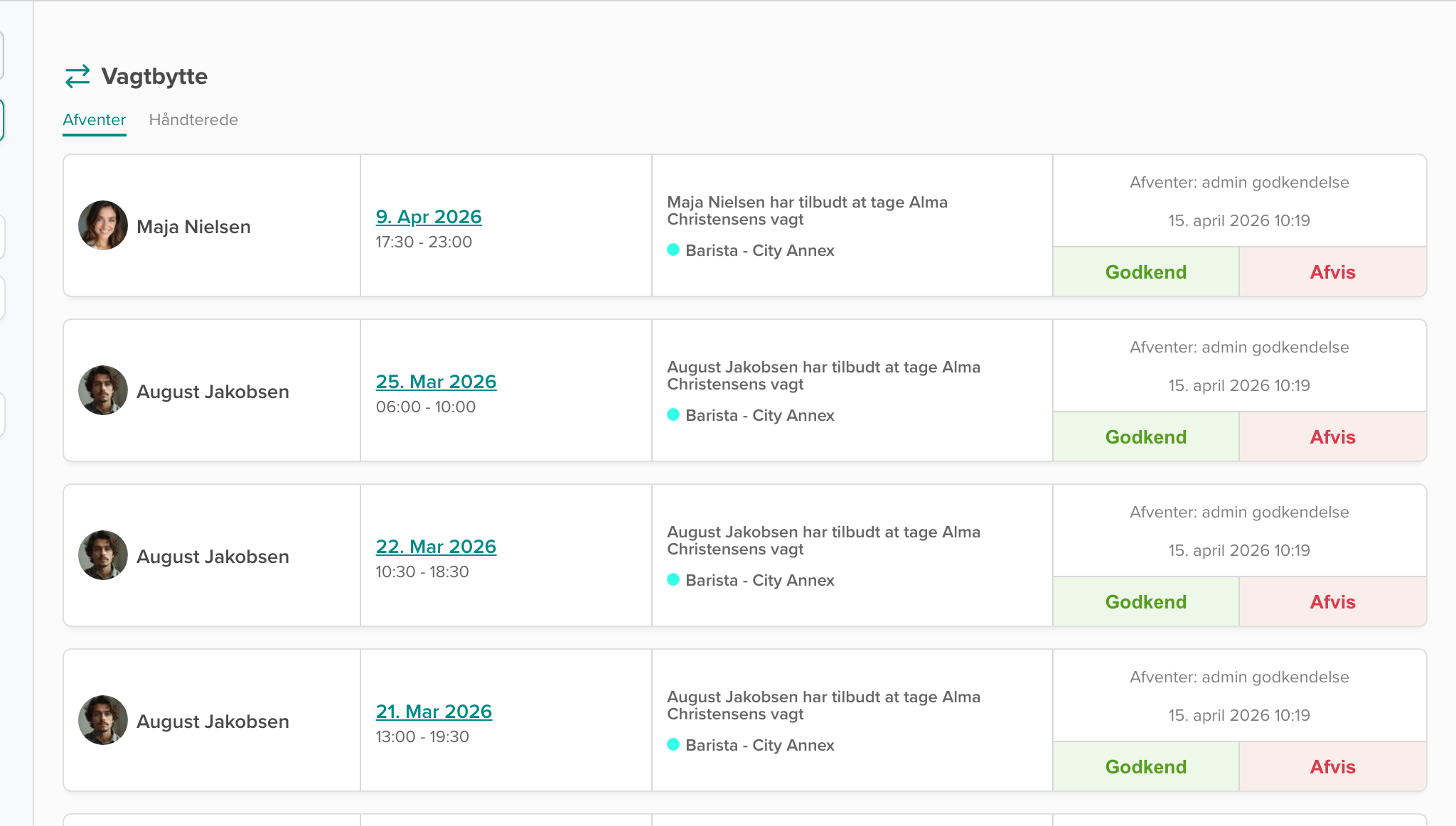
After publishing, the Assistant watches shift swaps, absence requests and changed start times. It also checks across departments when the same employee has shifts in more than one place.

Shift swaps and absence requests in Smartplan

Everything in one place, sorted by severity

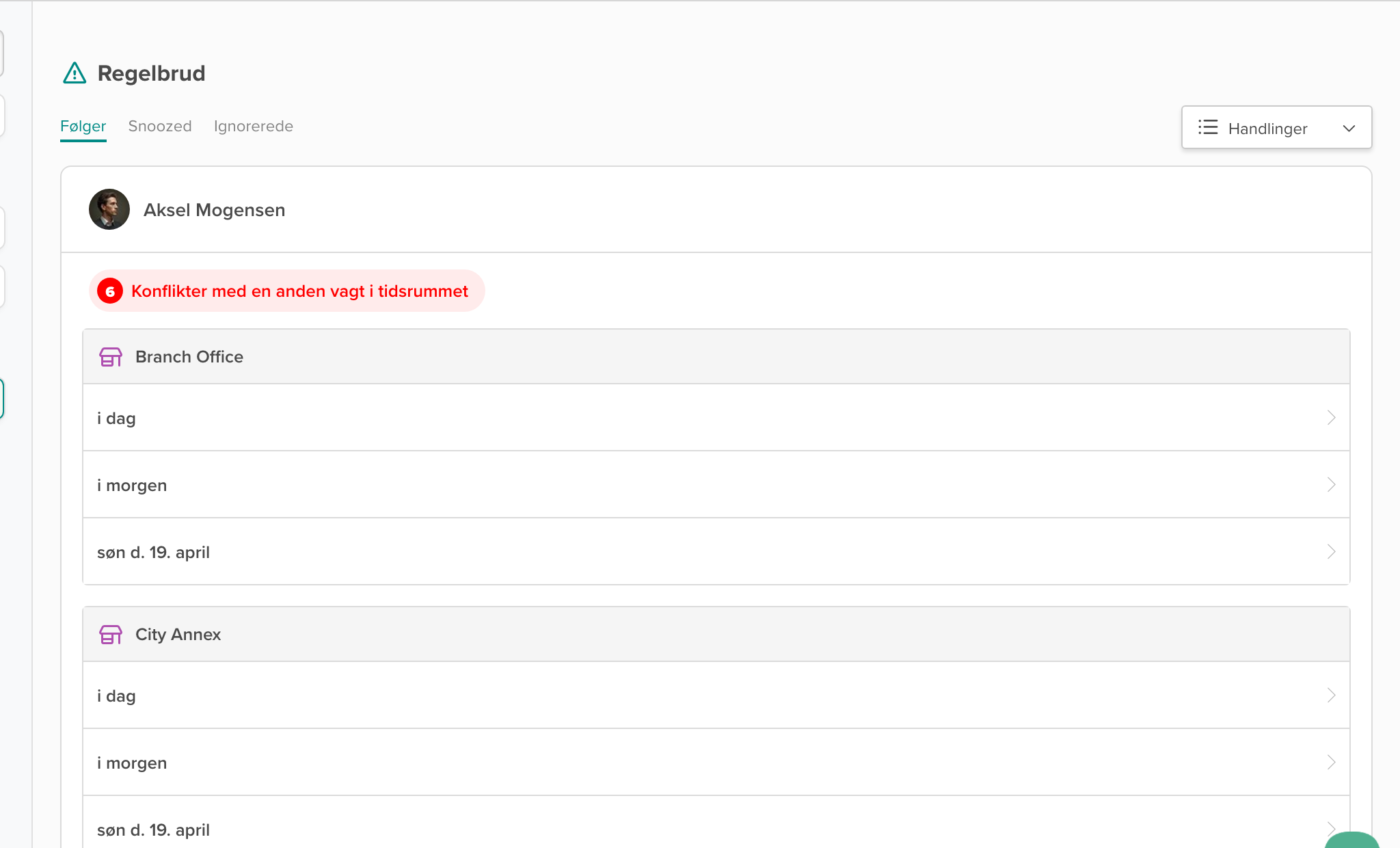
Rule violations are shown in Smartplan, grouped by employee and rule. You can see counts, dates and go straight to the shift. If you accept a violation on purpose, you can Snooze it. Every morning you get a copy in your inbox.

Rule violations grouped by employee in Smartplan

33 rules. The Assistant knows them all.

The 33 rules are the Assistant's foundation. It uses them to suggest new schedules, check your own changes and keep watching after publishing. A selection:

11-hour rest rule Max hours per day Max shifts per day Max hours per week Min hours per week Max hours per month Max working days in a row Max working weekends in a row Day off after weekend Consecutive days off Respect approved absence Respect employee requests Shift conflicts Unassigned shifts Cannot work specific days Preferred shift length + 17 more rules

While you make coffee, the Assistant has already checked the schedule

Smartplan Assistant checks the schedule at night. If there are new rule violations, you get one morning email with direct links into Smartplan. Then you can start the day with the things that matter most.

Smartplan Assistant
no-reply@smartplanapp.com
06:00
this morning

4 rule violations in your schedule

11-hour rest rule, max hours per week, consecutive days off...

Good morning, Mikkel

The Assistant checked your schedule overnight. Here is what needs a look, sorted by severity.

4
Rules
7
People
14
Week
  • 11-hour rest rule
    Noah, Tuesday to Wednesday
    Hard
  • Max hours per week
    2 employees
    Hard
  • Consecutive days off
    3 employees
    Medium
  • Unassigned shifts
    1 shift Friday evening
    Medium
Open Smartplan

You get this email because Smartplan Assistant is turned on. You can turn the email off in Smartplan.

Get started

Active as soon as you create the account

Smartplan Assistant is active as soon as you create the account. You do not need to enable modules or set anything up. It simply uses the rules you already have.

Try Smartplan free

30-day free trial. No credit card. No commitment.

Behind the Assistant

How it works

Your rules are the starting point. Smartplan Assistant checks the schedule and shows the rule violations you need to deal with.

Your rules 33 regler
11-hour rest rule
Max hours per week
Respect requests
Max weekends in a row
Consecutive days off
+ 28 more rules
Smartplan Assistant
checks the rules
Rule violations · What you act on Regelbrud
Max hours per week
2 employees
11-hour rest rule
1 employee
Consecutive days off
3 employees
Grouped by employee and rule
33 rules
Checked every time

From the 11-hour rest rule to weekend distribution, maximum hours and employee requests. The same rules apply whether the Assistant suggests a schedule or checks your own changes.

3 severity levels
Hard, Medium, Soft

Some rules must never be broken (hard), others are strong recommendations (medium), and the rest are good to include when possible (soft). Hard rule violations are always shown first.

In seconds
Also for large schedules

Even when the schedule is large. The check runs locally in Smartplan, so you are not left waiting for something to load.

Across departments
Also when an employee works in several places

If an employee has shifts in two departments in the same week, the Assistant adds them together. That means it catches rule violations neither department would have seen on its own.

Daily at 06:00
One daily email

If there are new rule violations, you get a short email at 06:00. For the rest of the day, the Assistant does not interrupt you.

No setup
Active from the start

The Assistant uses the rules you already have in Smartplan. You do not need to press anything or enable modules. Once the account is created, it runs.