


New in Smartplan: Hide colleagues' shifts
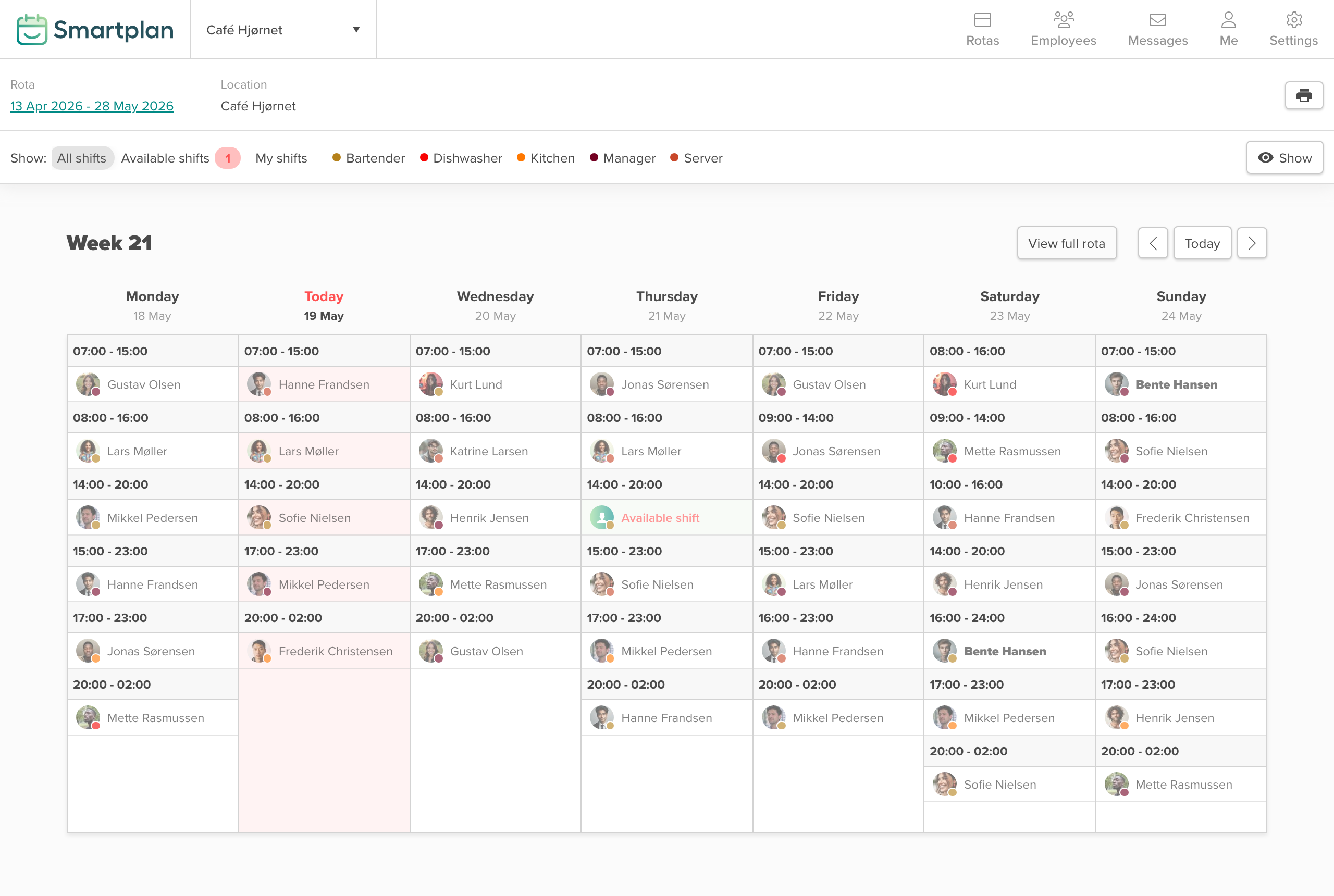
You now control how much your employees can see of their colleagues' shifts. Smartplan now has four levels of shift visibility in the rota — from full transparency, where everyone can see every shift, to a view where colleagues' shifts are hidden completely.
That means the rota adapts to your workplace, not the other way around. A stable restaurant team where everyone knows each other can keep full visibility. A temp agency with employees spread across several locations can choose to show each person only their own shifts. Manned guarding, healthcare operations and security companies get a specific setting they can point to when documenting how internal data is handled.
You will find the option under Data and Privacy in account settings — a single dropdown with four choices.
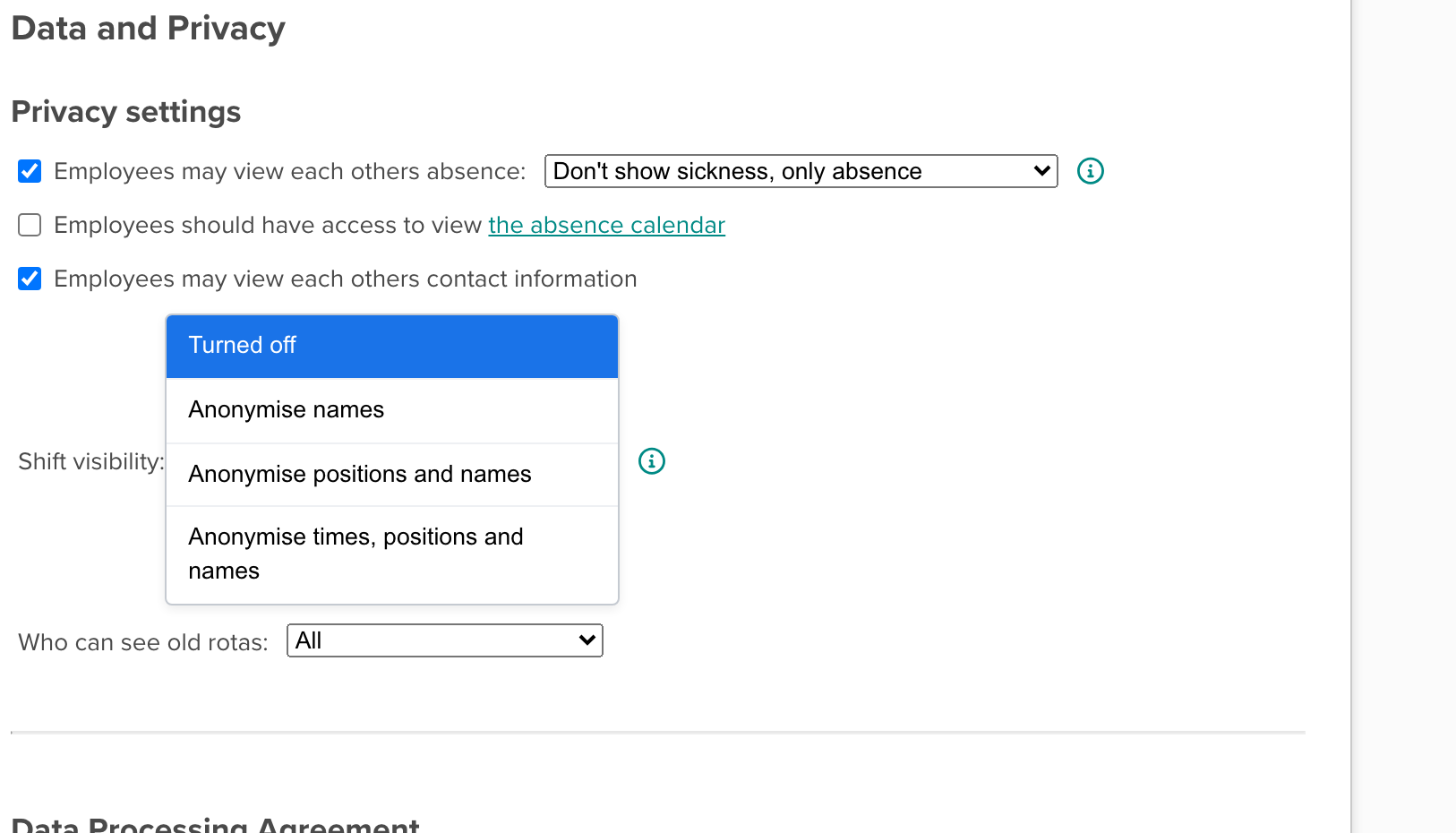
Here is what each option means for what your employees can see:
The rota as you know it
The first level is how Smartplan has always worked. Employees can see the whole rota — names, job titles, colours and shift times. It is still the default setting, and it works well for stable teams where everyone knows each other and coordinates directly.
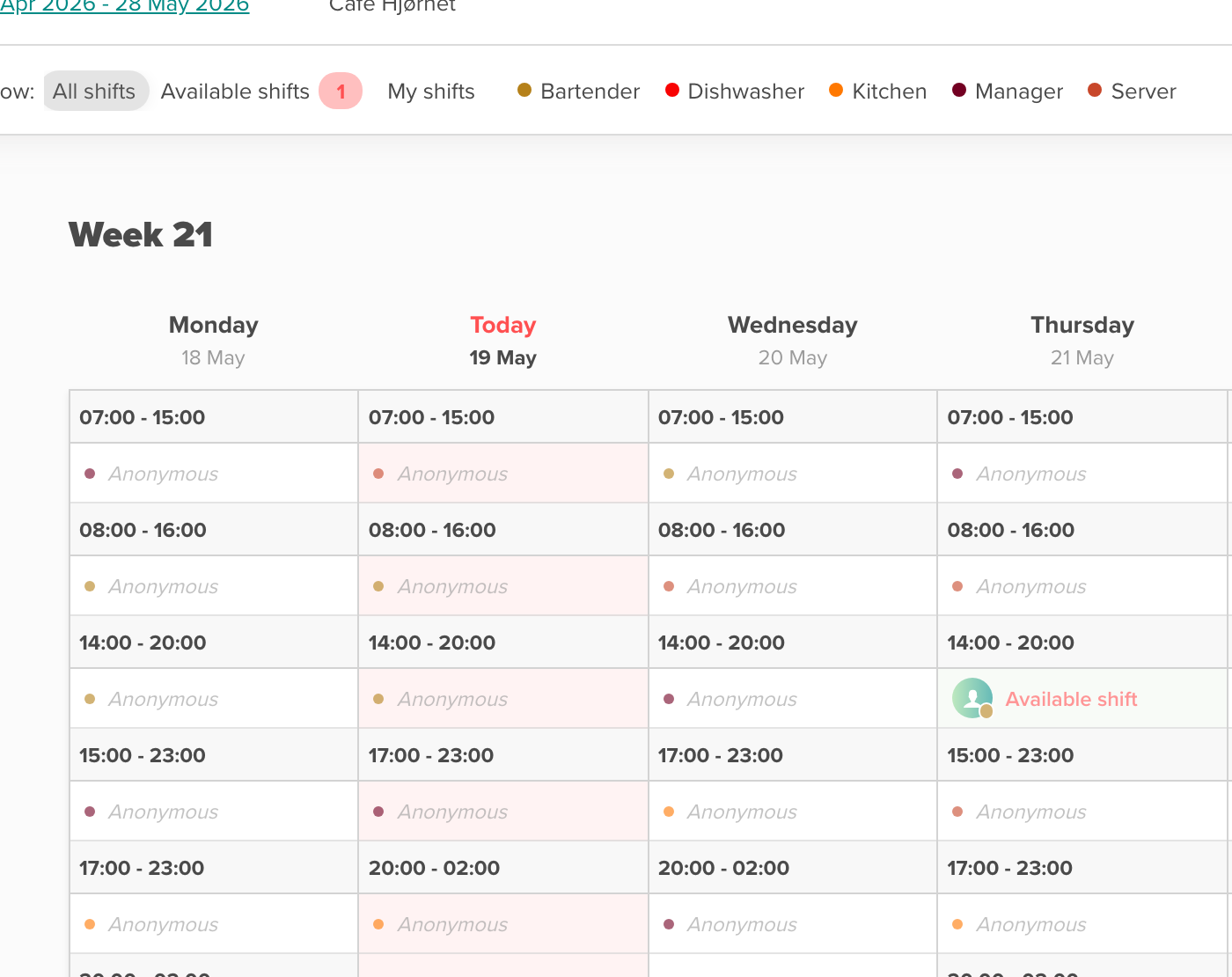
Hide names, keep the job type
Employees can still see which shifts are taken and what job the shift covers — a colour, or a job title such as "Bar" or "Kitchen". But they cannot see who has the shift. That means they can still plan around colleagues being at work, without names becoming the focus.
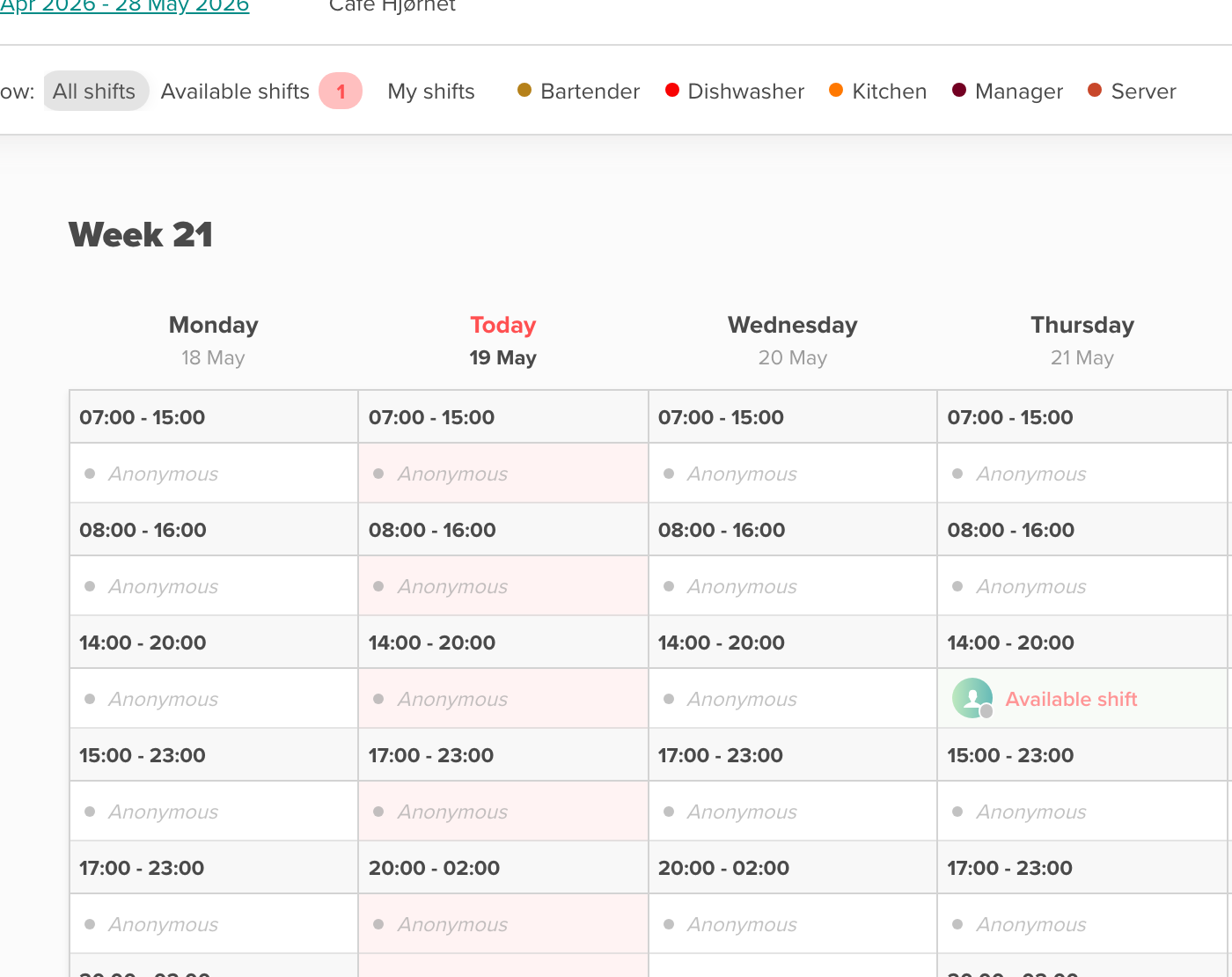
Hide the details completely
A grey block in the rota shows that the shift is taken — with no name, no job title and no colour. The employee can see that someone is working, but not who it is or what they are doing. A good fit for workplaces where employees' tasks rarely overlap, or where job titles can be sensitive information in themselves.
Let colleagues' shifts disappear
Colleagues' shifts disappear from the view completely. The employee sees only their own shifts and a small note at the bottom: "3 other shifts." Temp agencies, guarding services and businesses with dispersed workplaces, where employees rarely meet each other, have been asking for this setting for years. Now it is here.
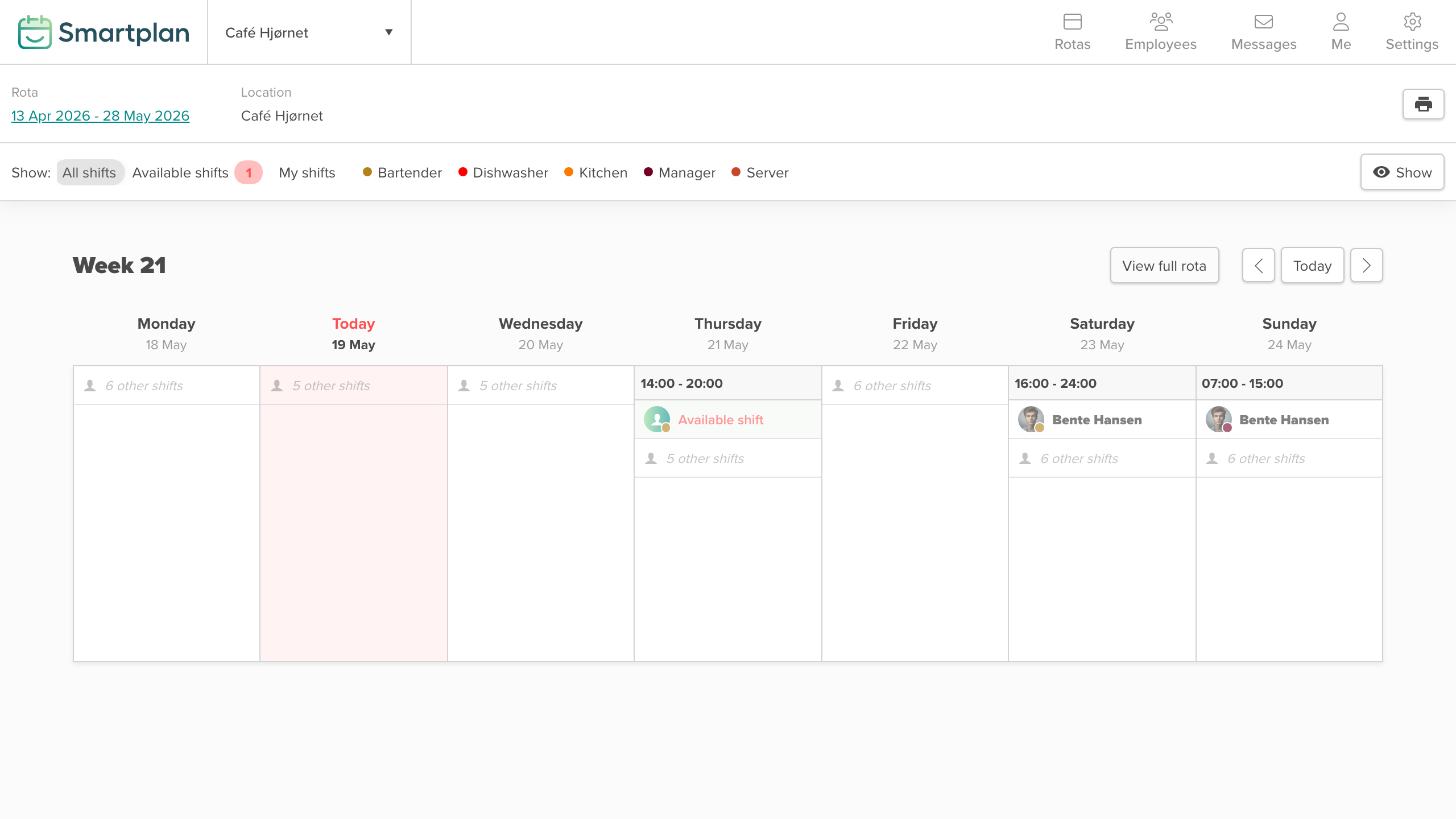
What employees can still see, whatever level you choose
Whichever setting you choose, two things are always visible to employees:
- Their own shifts — always with full information.
- Available shifts — so employees can still pick up cover and fill gaps in staffing.
Absence — sickness, holiday and time off — is also shown by default, so the rest of the team knows who is missing that week. If you choose one of the stricter settings where names are no longer visible, it may also make sense to hide absence from employees. You control that as a separate setting in Smartplan.
For industries with stricter requirements
If you work in an industry with specific requirements for what employees may see about each other — manned guarding, healthcare operations or security companies — you can now point to a specific setting when you document your internal data handling. The fourth level means an employee cannot see colleagues' shifts, job titles, working hours or breaks.
How to get started
The setting is under Data and Privacy, as shown near the top of this post. The change takes effect immediately — no restart, no employee notification.
Smartplan
Published 21 May 2026
Ready to try Smartplan?
Start your free 30-day trial today. No commitment, no credit card required.
Try Smartplan freeGet to know Smartplan
Everything you need for shift planning, time tracking and employee management — all in one place.