


New in Smartplan: your planning tool just got a major upgrade
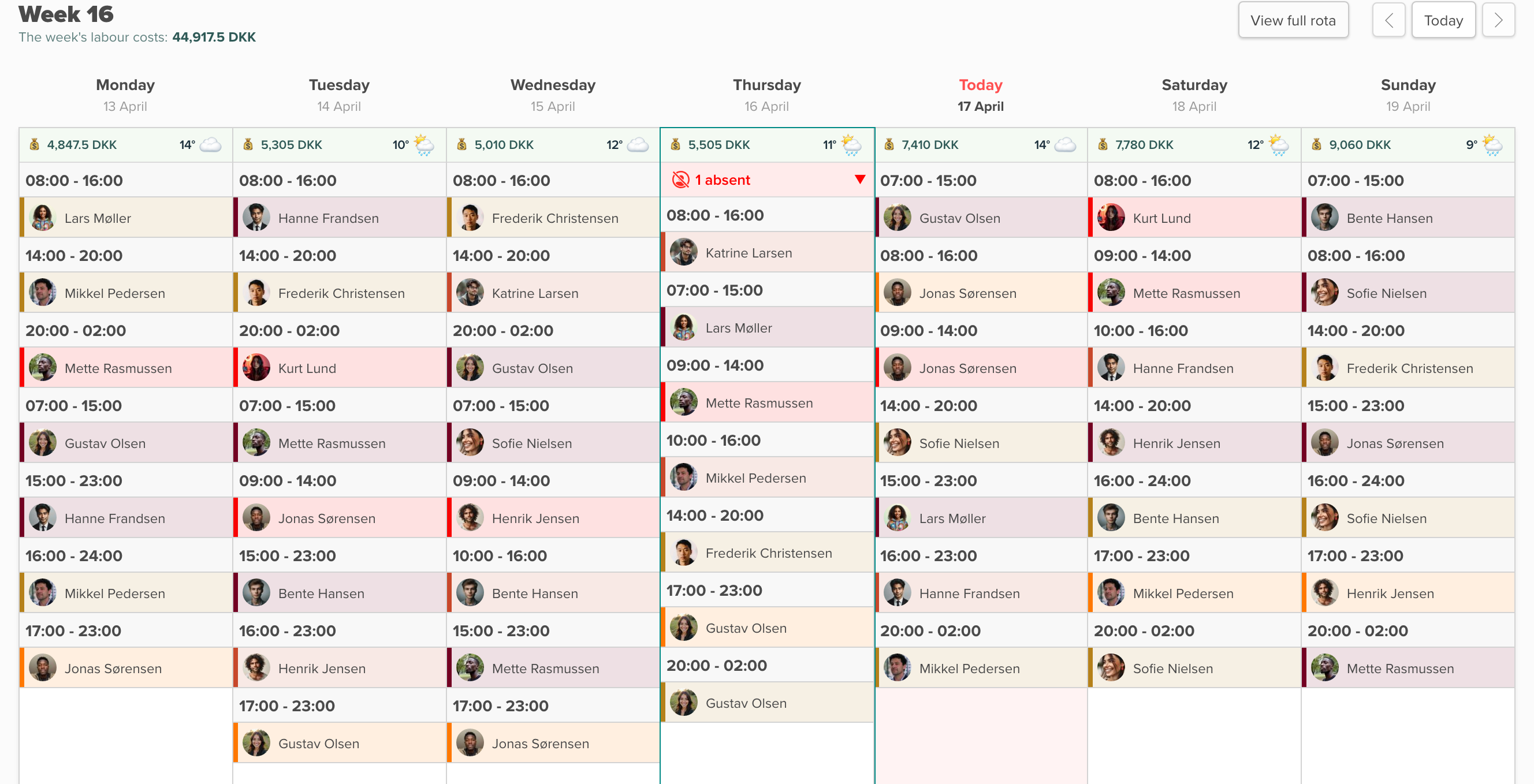
We've upgraded the planning tool. Seven new features, all built around the same idea: giving you a better overview while you plan.
You can now see labour costs, hours balances and the weather forecast directly in the rota. You can move shifts with your mouse, colour them by job type, and see your team's faces on the shift cards. It's all right there — where you need it, when you need it.
Here's what's new.
Drag and drop shifts directly in the rota
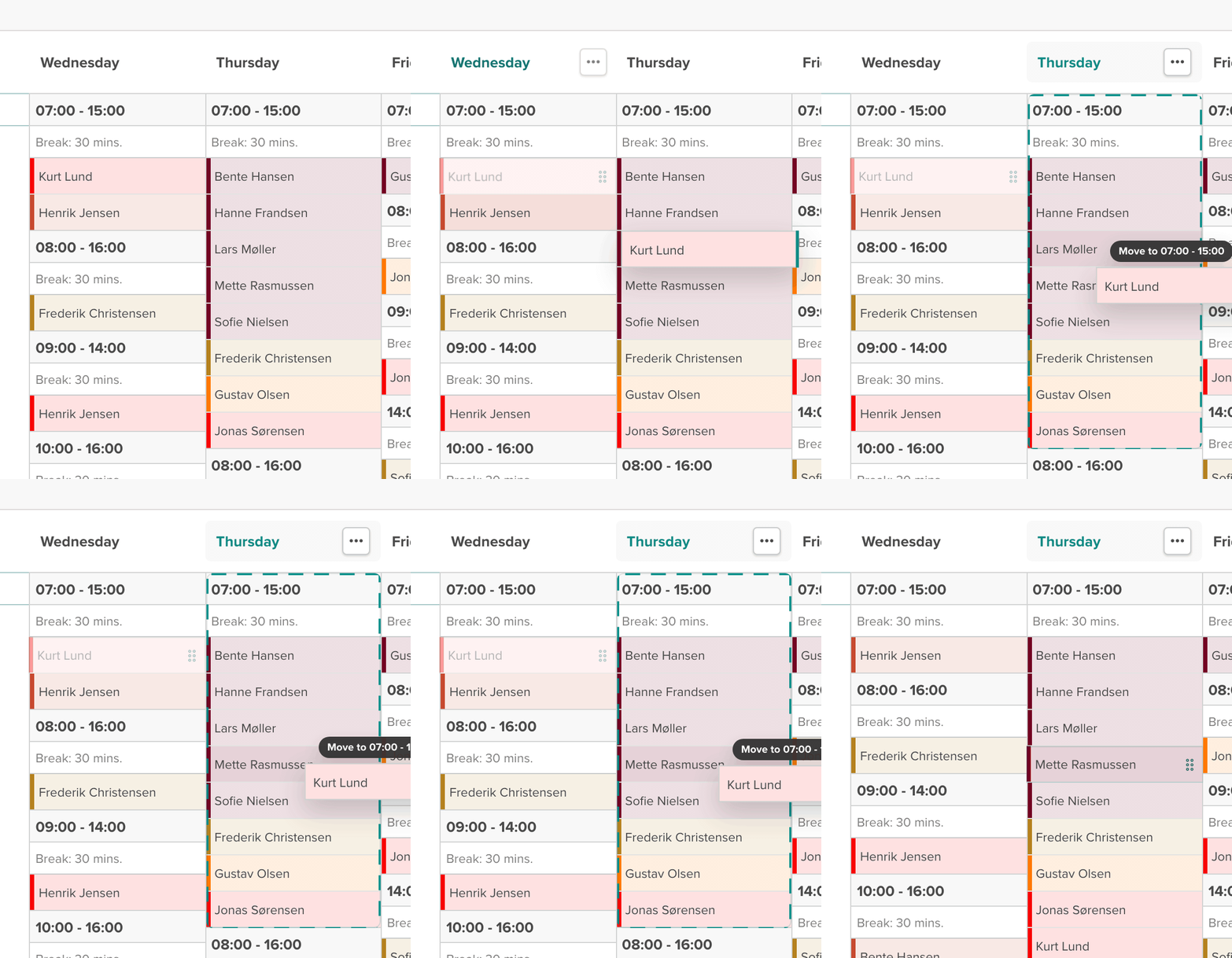
You can now move shifts by dragging them where they need to go. Need to move a shift from Tuesday to Thursday? Drag it. Should it sit in a different time block? Drop it there instead.
It sounds simple, but it changes the way you work with the rota. Instead of clicking through menus to move a shift, it now takes one second. When you're juggling ten employees across three weeks, you feel the difference right away.
See labour costs directly in the rota
Have you ever built a rota only to find out afterwards that it blew the budget? We've fixed that.
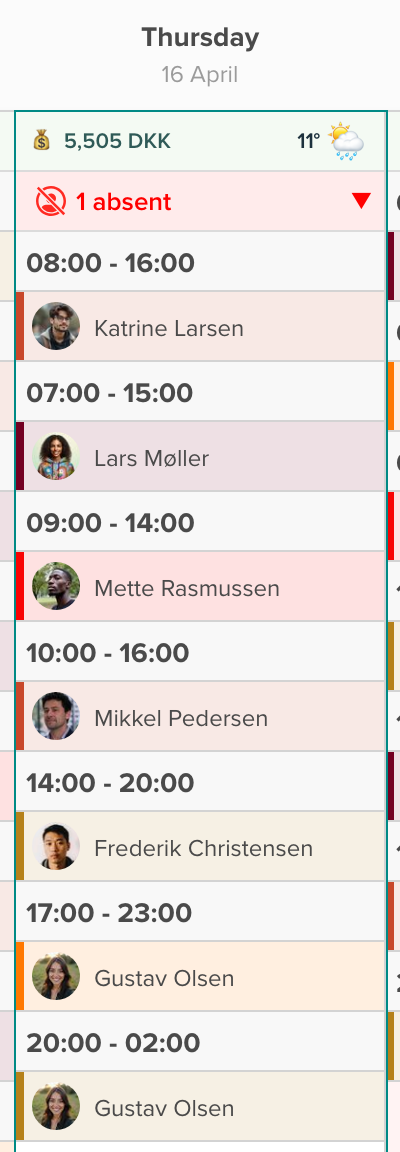
The planning tool now shows daily and weekly labour costs right at the top of the rota. You can see exactly what each day costs while you're building the plan — not after. That lets you adjust staffing on the fly so you hit the budget without guessing.

Hours balance in the sidebar
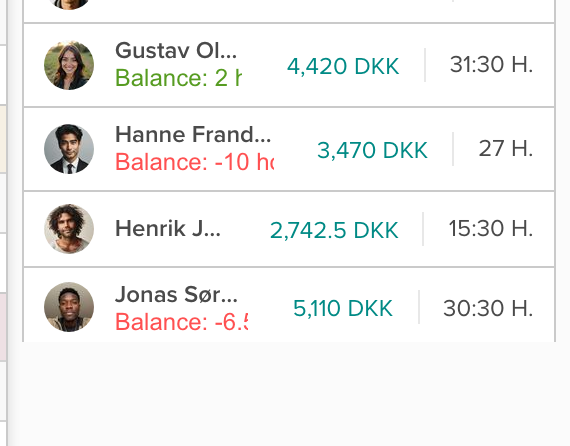
Do you have employees on fixed contracts or salaried staff with an agreed number of hours? Then you know the challenge: it's hard to keep track of whether the hours add up over a period. Now you can see the hours balance directly in the sidebar while you plan.
For each employee you can see how they sit compared to their contracted hours — per week or per month, depending on your setup. That makes it easier to pace the hours right and settle balances before they grow into a problem.
Monthly overview in the sidebar
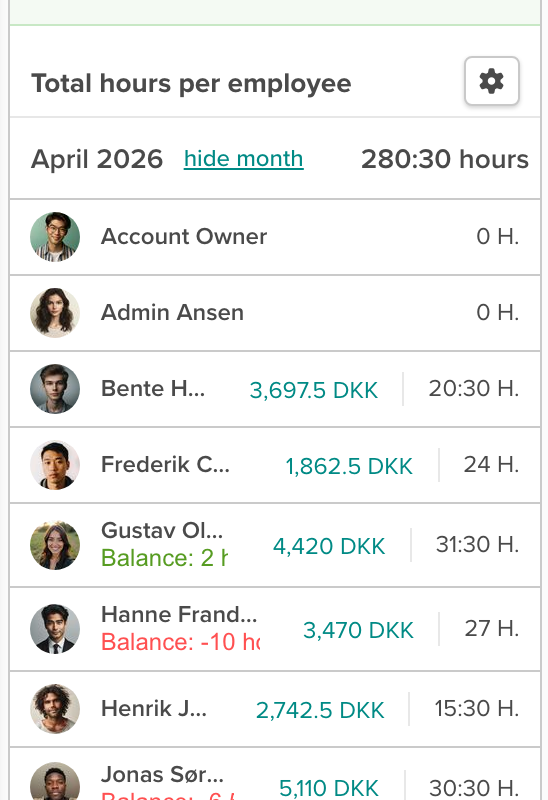
The sidebar now also shows a monthly view, so you can see the bigger picture without losing the details. It's especially useful when you're planning further ahead, or if your time budgets run on a monthly basis. Switch between weekly and monthly view and you always have the right perspective.
Weather forecast on the rota
When you're planning staffing, the weather plays a role — especially if you have outdoor work, outdoor seating, or seasonal traffic. Now you can see the weather forecast directly on the rota.
Each day shows the temperature and a weather icon, so you can judge whether you're staffed right for the expected conditions. Sunny Sunday with a full house? You can react in time, before it's too late.

Colour-coded shifts by job type
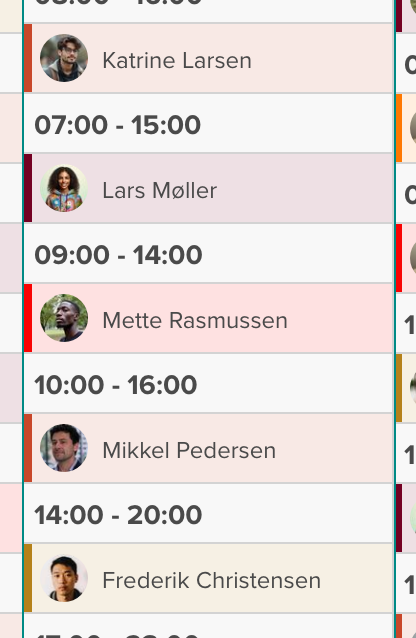
Until now, job types have been shown as small coloured dots next to each shift. Now you can choose to colour the whole shift by job type, so you can see the distribution across the week at a glance. Who's on the bar? Who's in the kitchen? The colours tell the story without you having to read each individual shift.
You decide how visible the colours should be — turn it on under display options and pick the level that works for you.
Avatars on shifts and an absence overview
Want to skim the rota faster? You can now turn on avatars so your team's photos show up directly on the shift cards. It makes it much easier to see who's where — especially on days with lots of shifts.
On top of that, an absence overview now appears at the top of each day. So you can see right away who's off, on holiday, or sick, before you start moving shifts around.
All in one place
These seven features connect. Together they mean the planning tool is now the place where you have the full picture. Hours, costs, weather, absences, job types — it's all right where you're already working.
You decide what to show and what to hide. Under display options, you can pick exactly the information that fits how you plan.
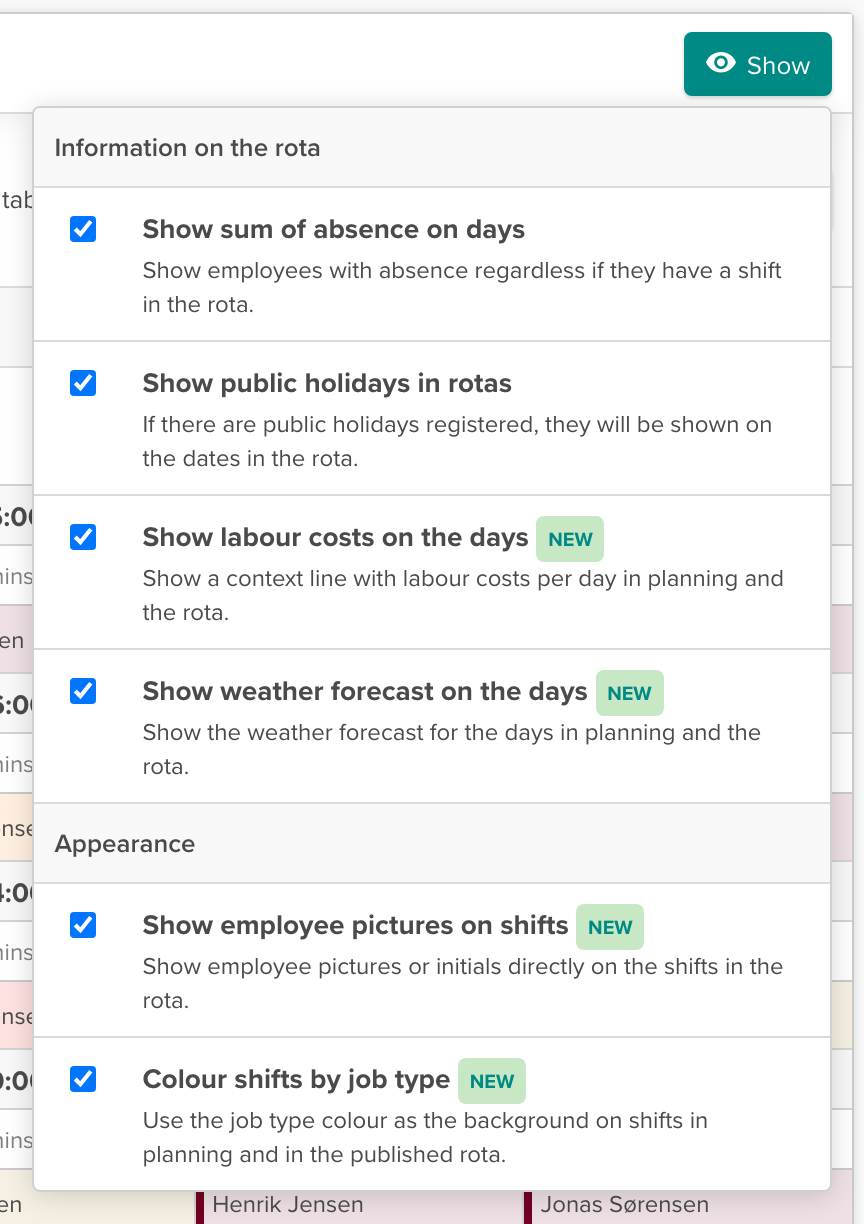
Our ambition is that you shouldn't need anything but Smartplan when you sit down to plan. With this update, we've taken a good step closer to that goal.
The update is available for everyone now. If you have questions about the new features, you're always welcome to write to us at support@smartplanapp.com or via the chat.
Smartplan
Published 16 April 2026
Ready to try Smartplan?
Start your free 30-day trial today. No commitment, no credit card required.
Try Smartplan freeGet to know Smartplan
Everything you need for shift planning, time tracking and employee management — all in one place.